UX case studies / CS-02 · Freelance
Read.y.
An app that helps preschoolers aged 2 to 6 learn the alphabet through a game, so they get comfortable with reading before they start school.
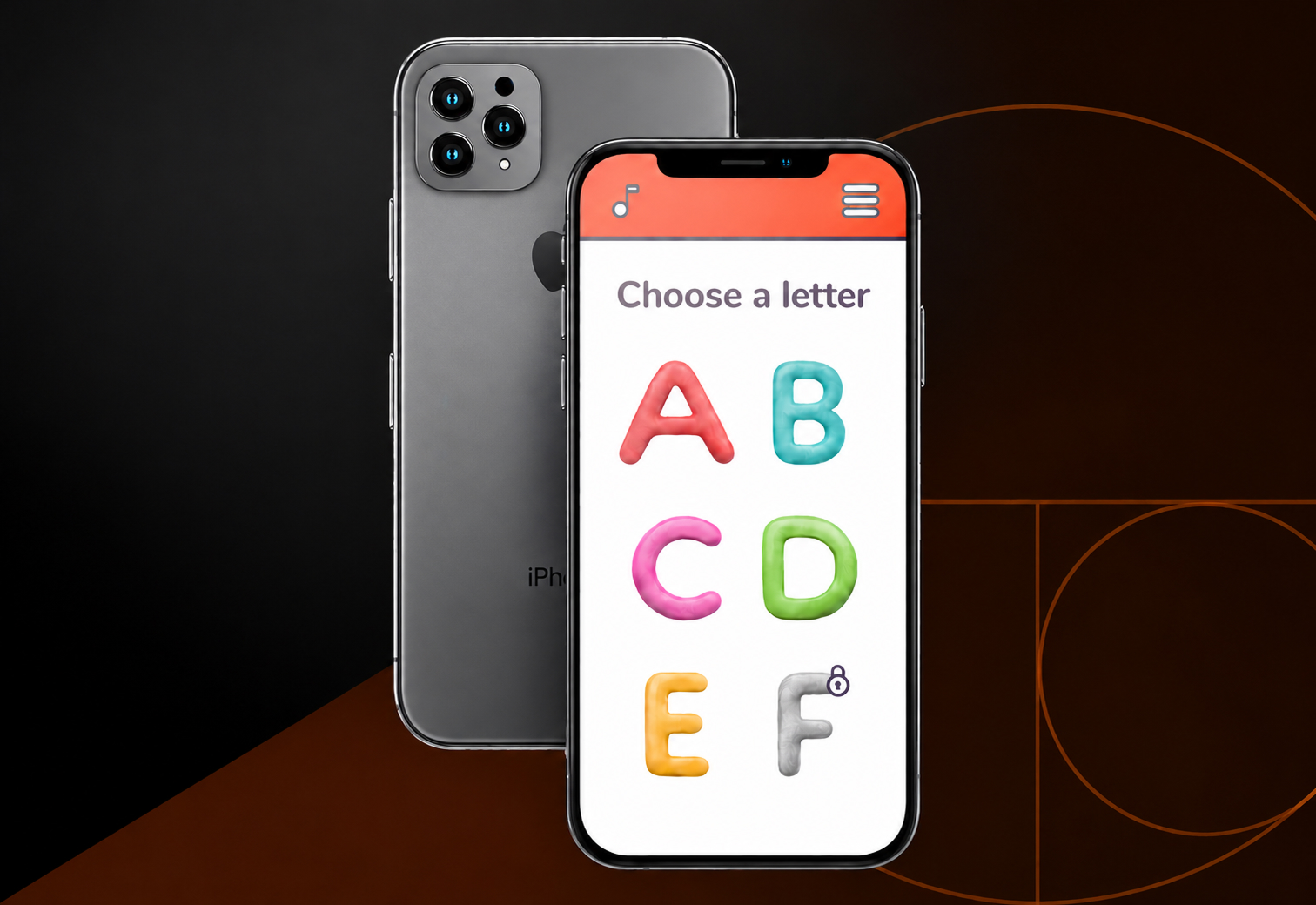
01
Overview
Learning to read, as a game
- Role
- UX Researcher, UX Designer
- Duration
- April – September 2021
- Work
- User and market research, wireframing, prototyping, testing
The problem
Some parents believe the first step to a great future is learning to read as early as possible. But how do you teach a young child to read, and keep them engaged in something so new at that age?
The product
A fun, effective way to teach preschoolers aged 2 to 6 the alphabet, for parents who want their children familiar with reading before school.
The goal
Introduce the alphabet in a fun, engaging way, and convince parents it works: entertaining enough to keep kids coming back, and pleasant and easy to use for the parents themselves.
02
Understanding the user
Short attention, big curiosity
I ran the initial research with interviews and a survey. I interviewed 4 people who could use the app or had a useful view on it: two mums, a kindergarten teacher and a grandmother. 15 people answered an online survey.
The research mostly confirmed my assumptions: the youngest kids (1–2) don't play with phones. Older ones (3–4) sometimes do, mostly alone and briefly, to play games or watch videos.
- 01
Target age
Kids aged 2–4 are less interested in digital games than older children. - 02
Time sensitive
Kids get distracted fast and switch activity often: usually after just 3–15 minutes. - 03
Gamification
They aren't interested in learning unless it feels like a game.
Persona 1: Maria
A mum of two and part-time worker who needs an app that entertains her children in a constructive way, because she wants some of the load taken off her shoulders.
Persona 2: Sarah
A young single mum working full time who needs an app that can teach her daughter to read, because she wants her to have a head start at school.
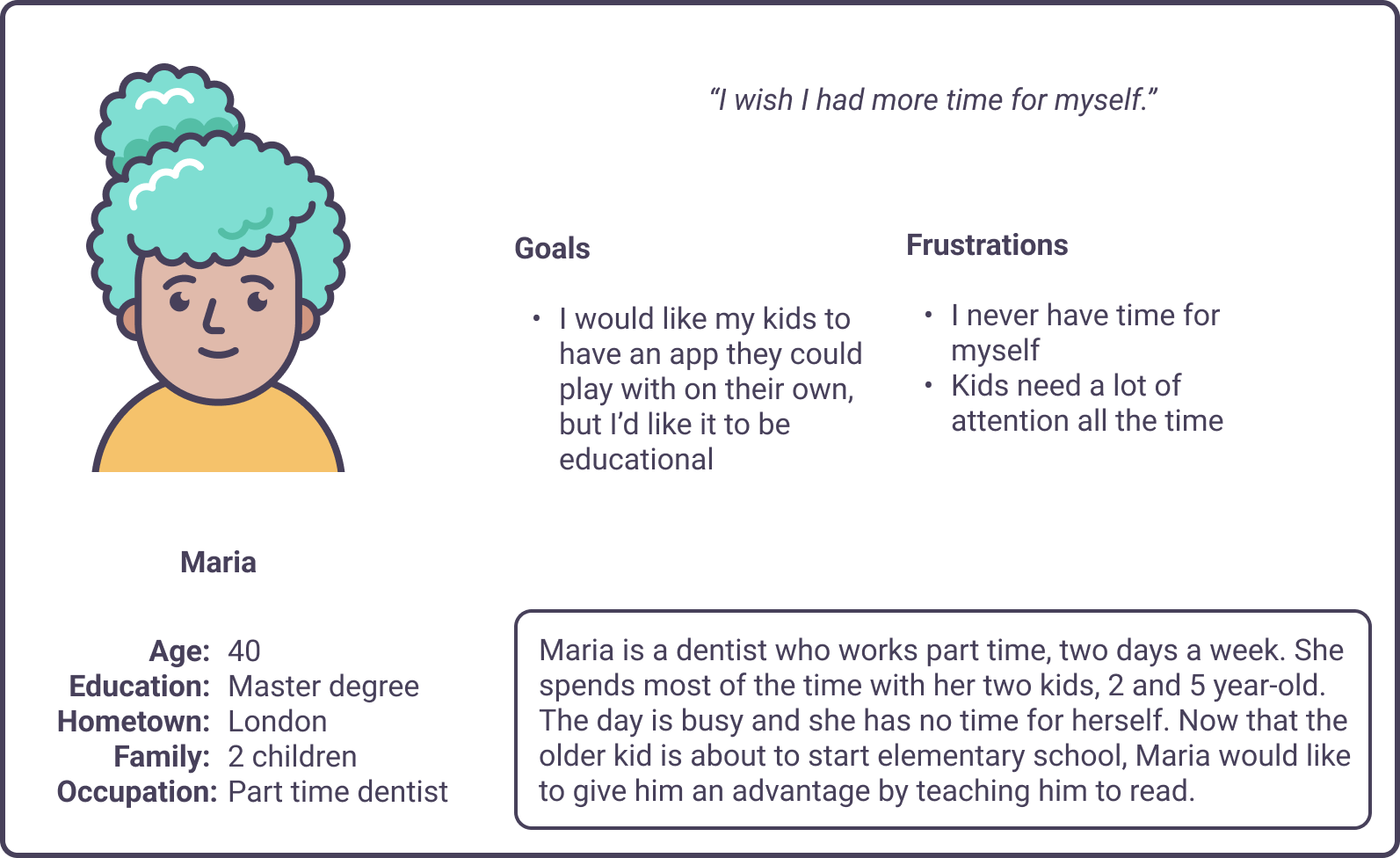
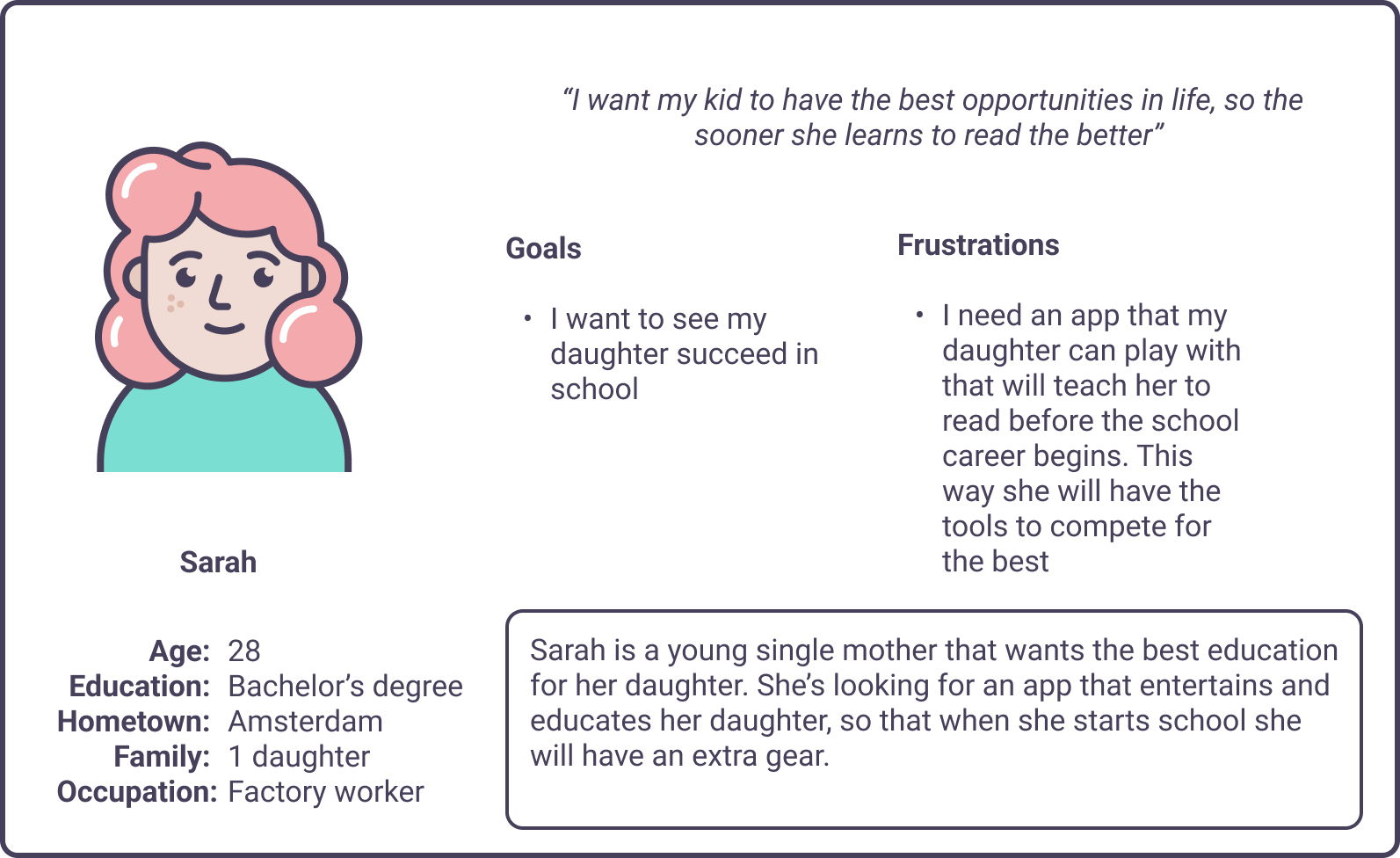
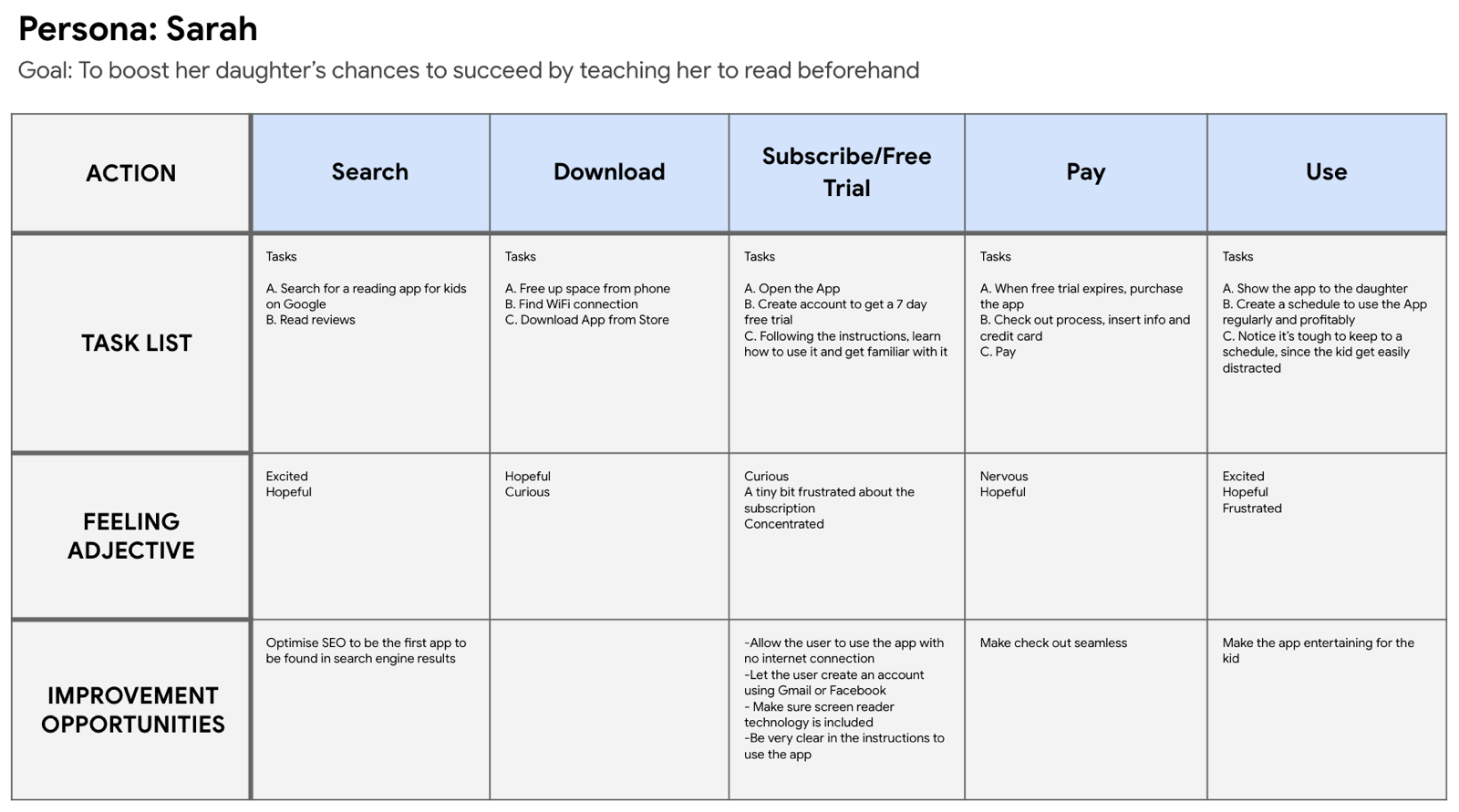
Mapping Sarah's journey showed how helpful a dedicated app for teaching kids to read would be.
03
Starting the design
From paper to screen
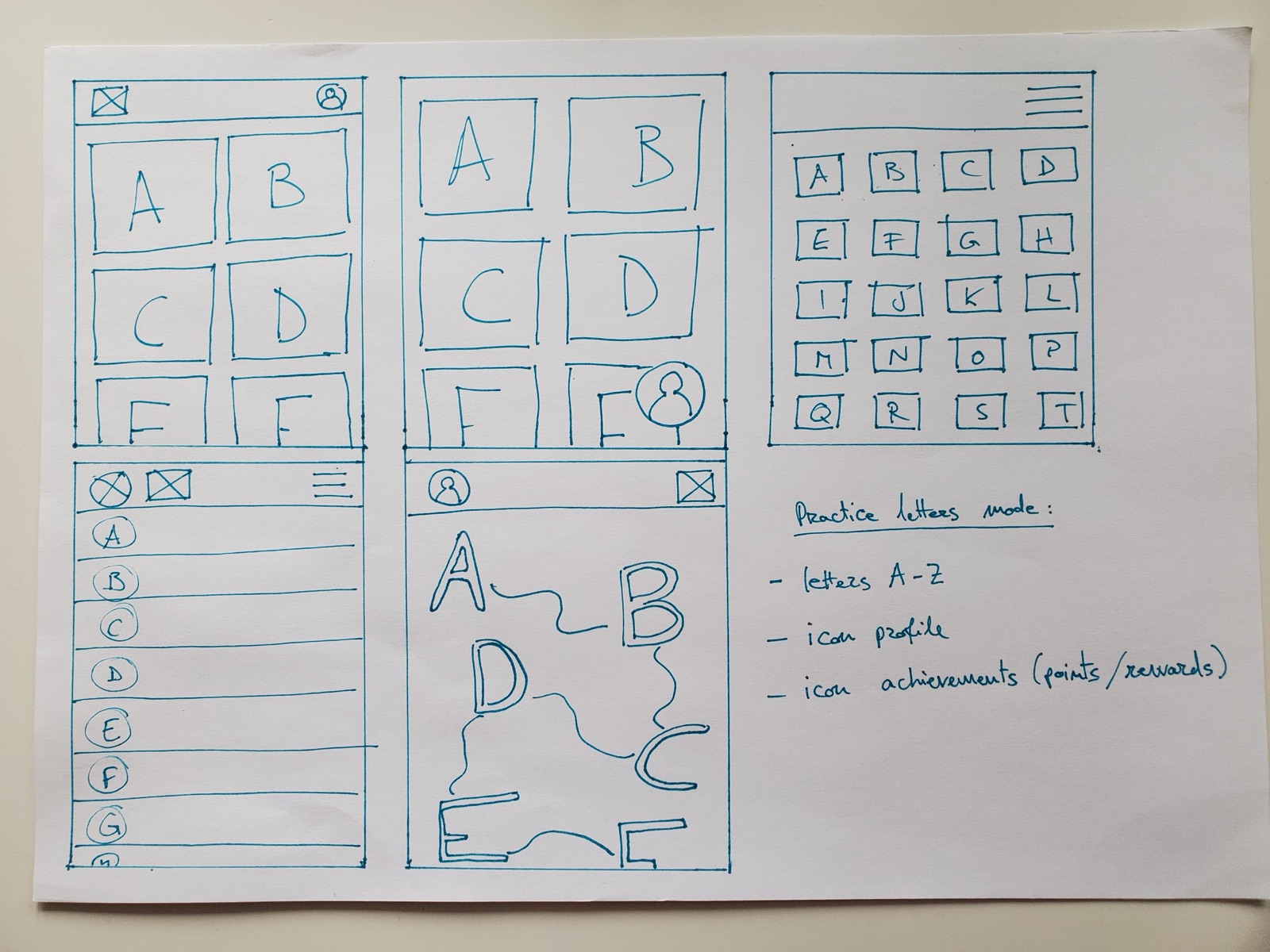
Drafting several versions of each screen on paper made sure that what reached the digital wireframes really answered users' pain points. For the home screen I chose a quick, easy letter selection from a two-column scrolling list.
Digital wireframes
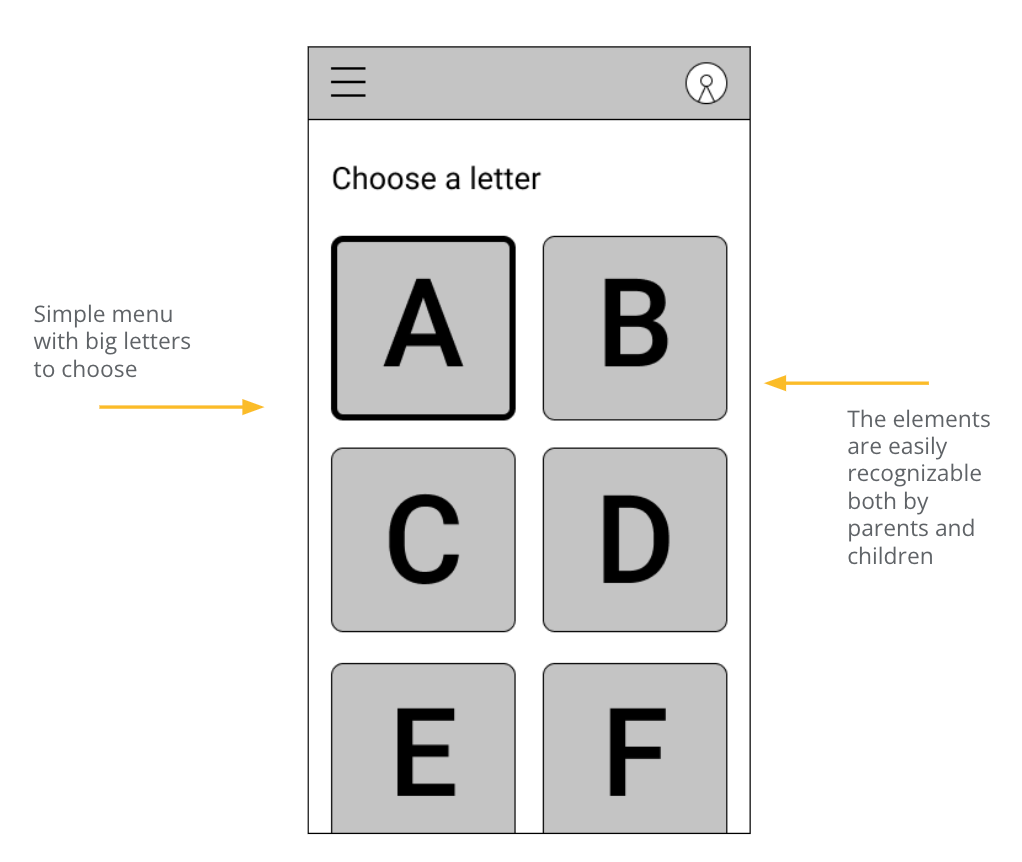
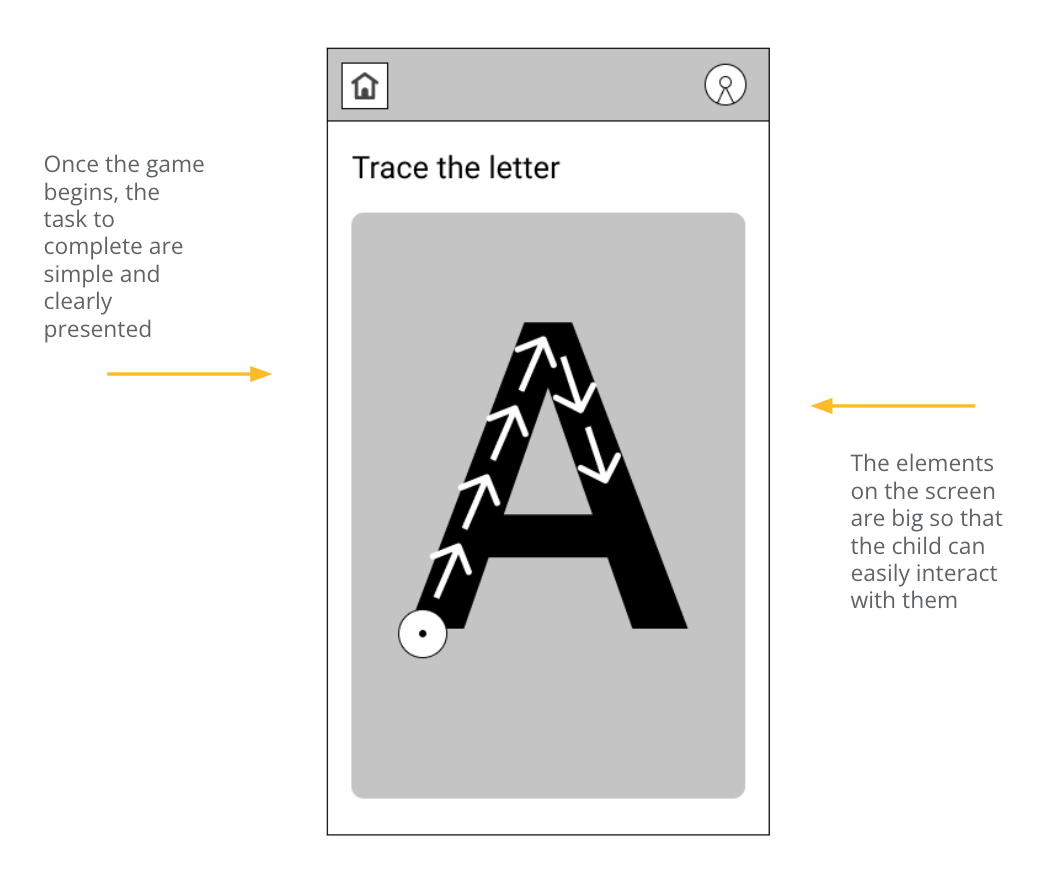
I designed each screen from the research feedback and findings. Easy navigation and interaction was a key need to address.
Two rounds of usability studies
The first study guided the move from wireframes to mockups. The second, on a high-fidelity prototype, showed what still needed refining.
- Users want an easy way to create an account
- Users want the game to be graphically appealing
- Users like the recording feature
- Overall feedback on the app is positive
- The reminder may need to be easier to reach
- Animal images are an important part of the game
04
Refining the design
What the second study changed
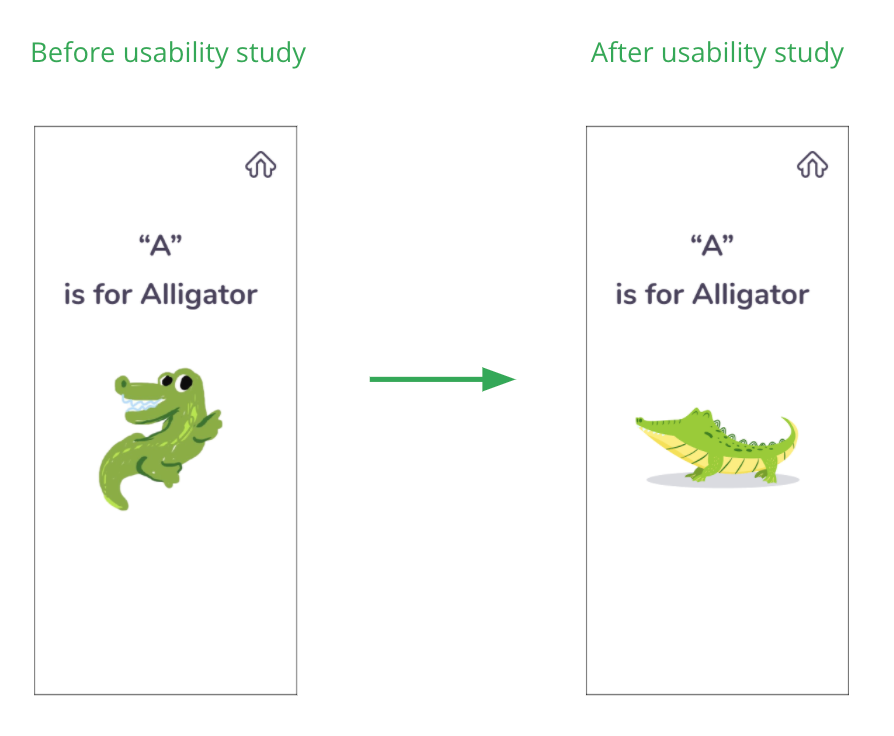
Friendlier animals
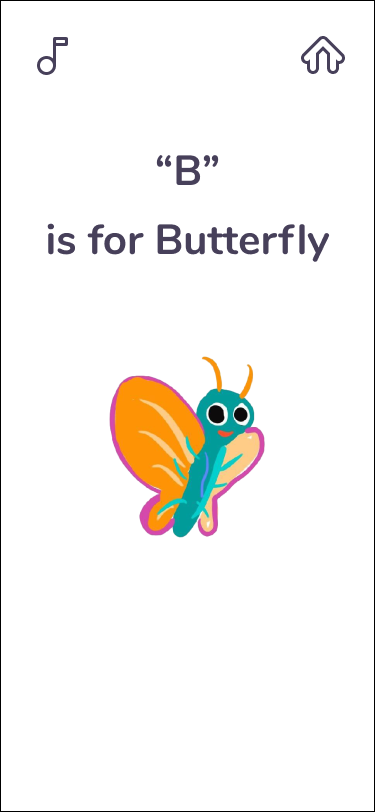
The early version had rougher animal illustrations. The study showed how much these catch a child's attention, so I replaced them with more refined ones, more pleasing to a child's eye.
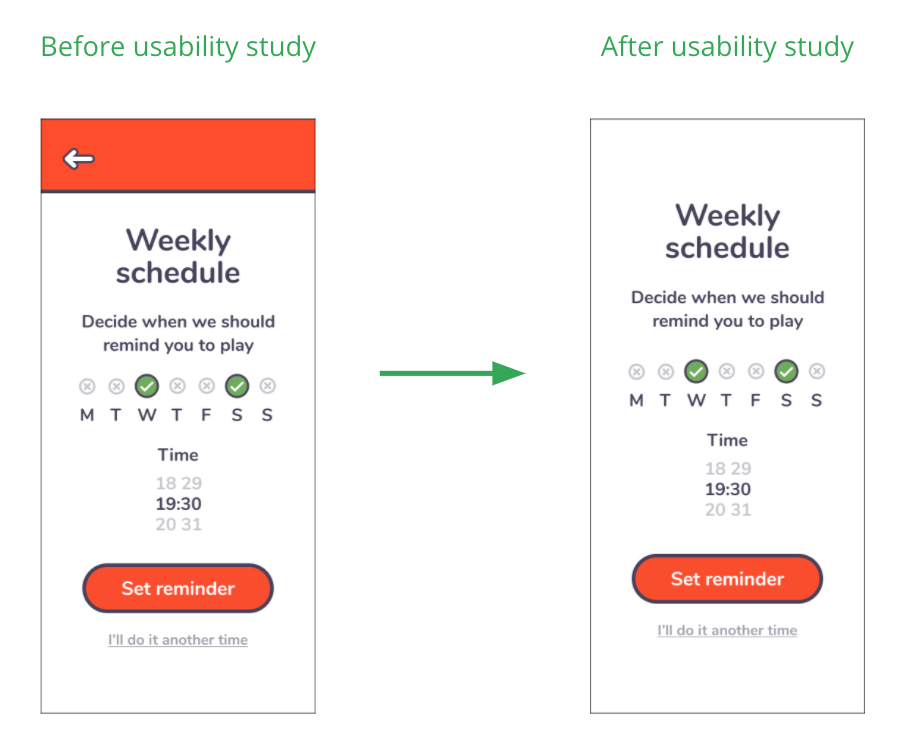
A reminder that finds you
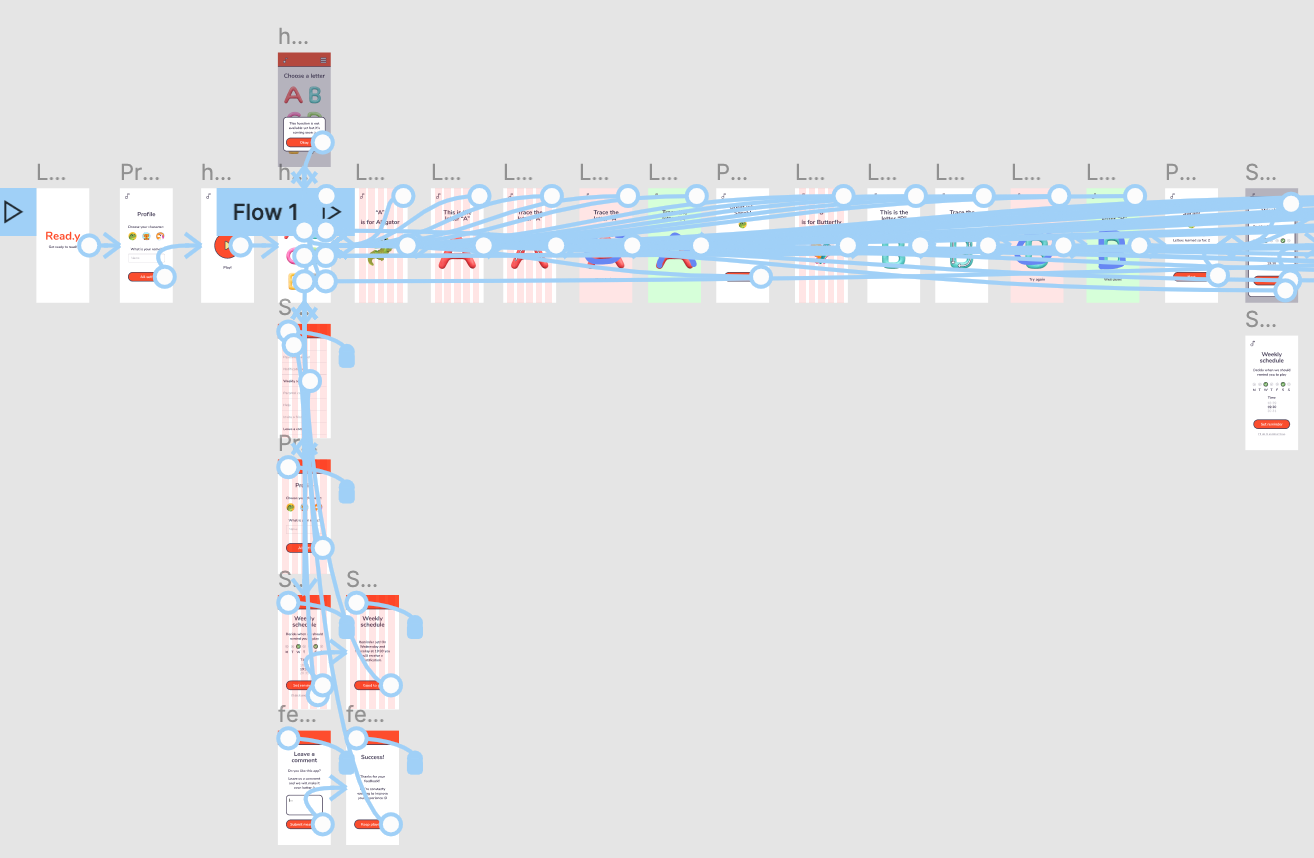
Many users couldn't easily find the reminder schedule, so I added it at several steps of the journey. Now users don't have to look for it: they're prompted at the right moments.
Accessibility
- WCAG standards
Designed with the Web Content Accessibility Guidelines in mind, with good contrast built around the size, colour and shape of each element.
- Navigation
An optimised information architecture makes navigation smooth for everyone, and intuitive for children too.
- Child-friendly
And of course it's designed for kids, with children front and centre.
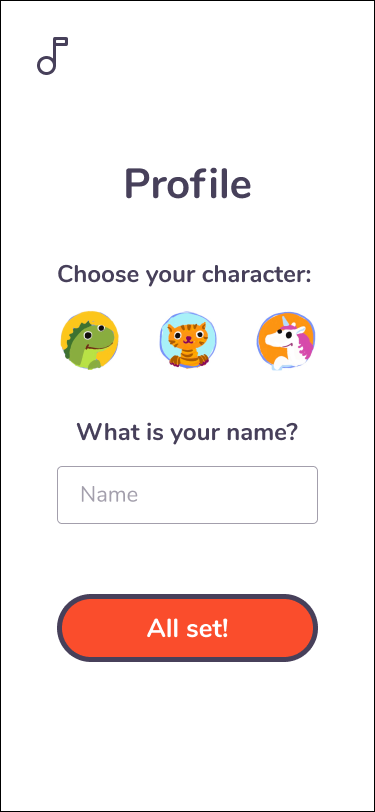
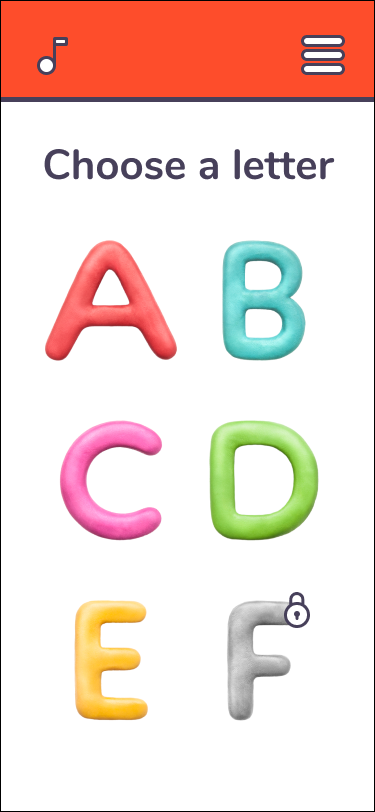
Refined designs
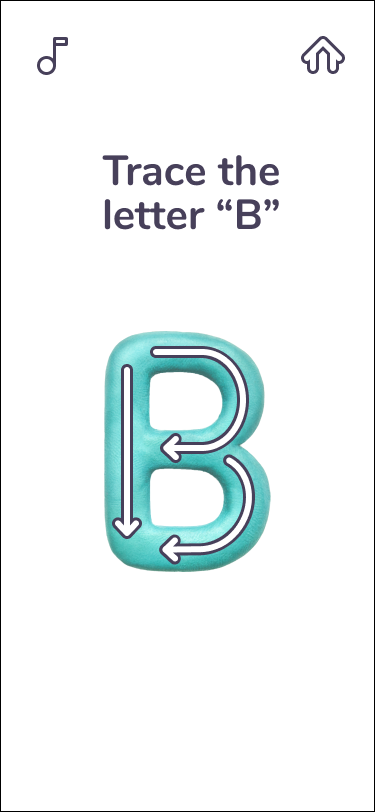
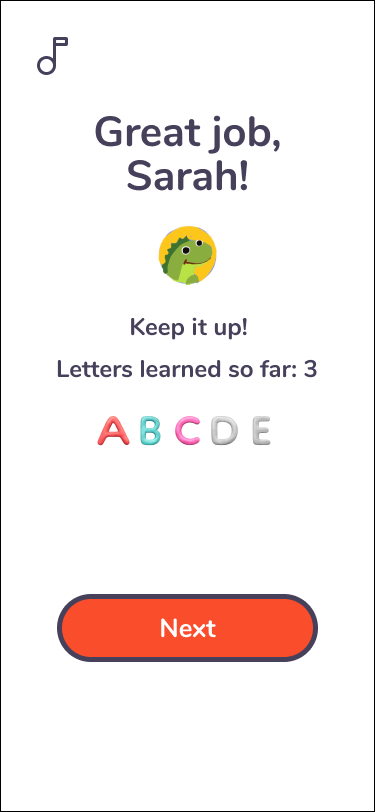
The high-fidelity prototype includes all the changes from the usability studies.
05
Going forward
Impact
Feedback from end users in the final test sessions before launch was very positive.
“I believe my children will love to play, it's very intuitive.”
“I hope this can keep him busy for a little while and maybe even teach him some letters.”
What I learned
This project showed me again how important it is to define the problem space thoroughly before brainstorming answers.
And when ideation starts, the first ideas are usually far from the final solutions: usability studies and peer feedback improve every iteration.
Next steps
- Launch
Launch the product and track metrics and feedback.
- Testing
Run another round of usability studies to check the pain points are solved.
- User research
Do more research to find new areas for improvement.
Next
CS-03