UX case studies / CS-03 · Mock project
Citty.
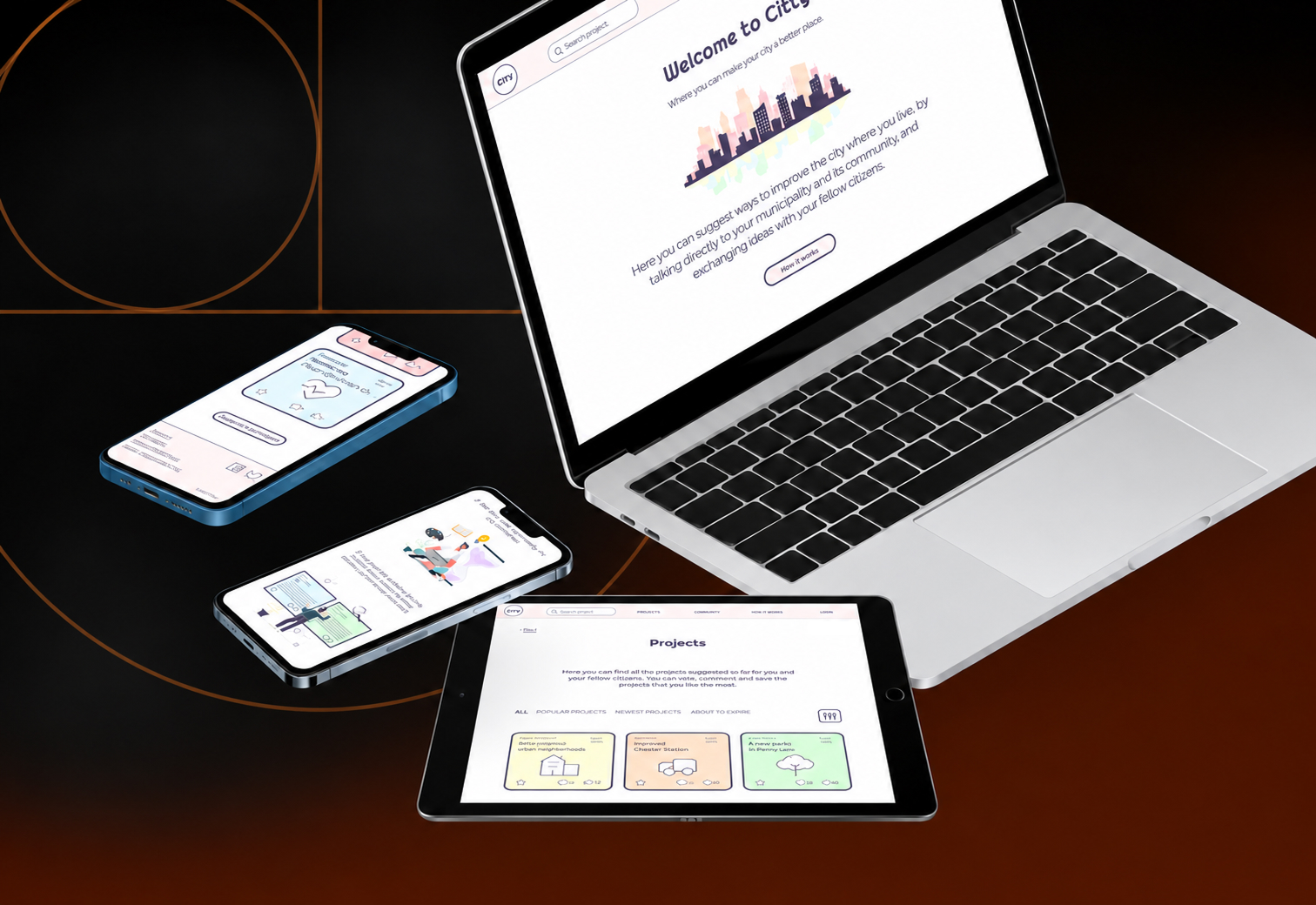
A platform where citizens suggest projects to improve their city, vote on each other's ideas and get the best ones funded by their municipality: an app and a responsive website for social good.
01
Overview
A voice for every citizen
- Role
- UX Researcher, UX Designer, UI Designer
- Duration
- January – February 2022
- Platforms
- App, mobile and desktop website
The problem
Citizens of any age sometimes want to make their city a better place, and have valuable ideas on how. But they often have no way to be heard.
The goal
A product for social good: a platform that connects citizens with their municipality, where they suggest projects to improve life in their city. Each project is evaluated and voted on and, if approved, funded from a set city budget.
The product
An app and a responsive website that connect citizens with each other and their municipality, building a community where anyone can easily put forward "projects" to improve their city.
My responsibilities
The whole process, start to finish: market and user research, interviews, personas, journey maps and the problem statement; a competitive audit and Crazy Eights; lo-fi wireframes and prototypes, testing, then mockups and hi-fi prototypes, and a final usability test before the last adjustments.
02
Understanding the user
Everyone wants to be heard
I started with desk research on the market and potential uses, which confirmed the idea's value. Then I interviewed potential users, assuming most adults of any age could benefit: a young professional in his 30s and a retired woman. From very different perspectives, both were enthusiastic and gave me hints on how to meet their needs.
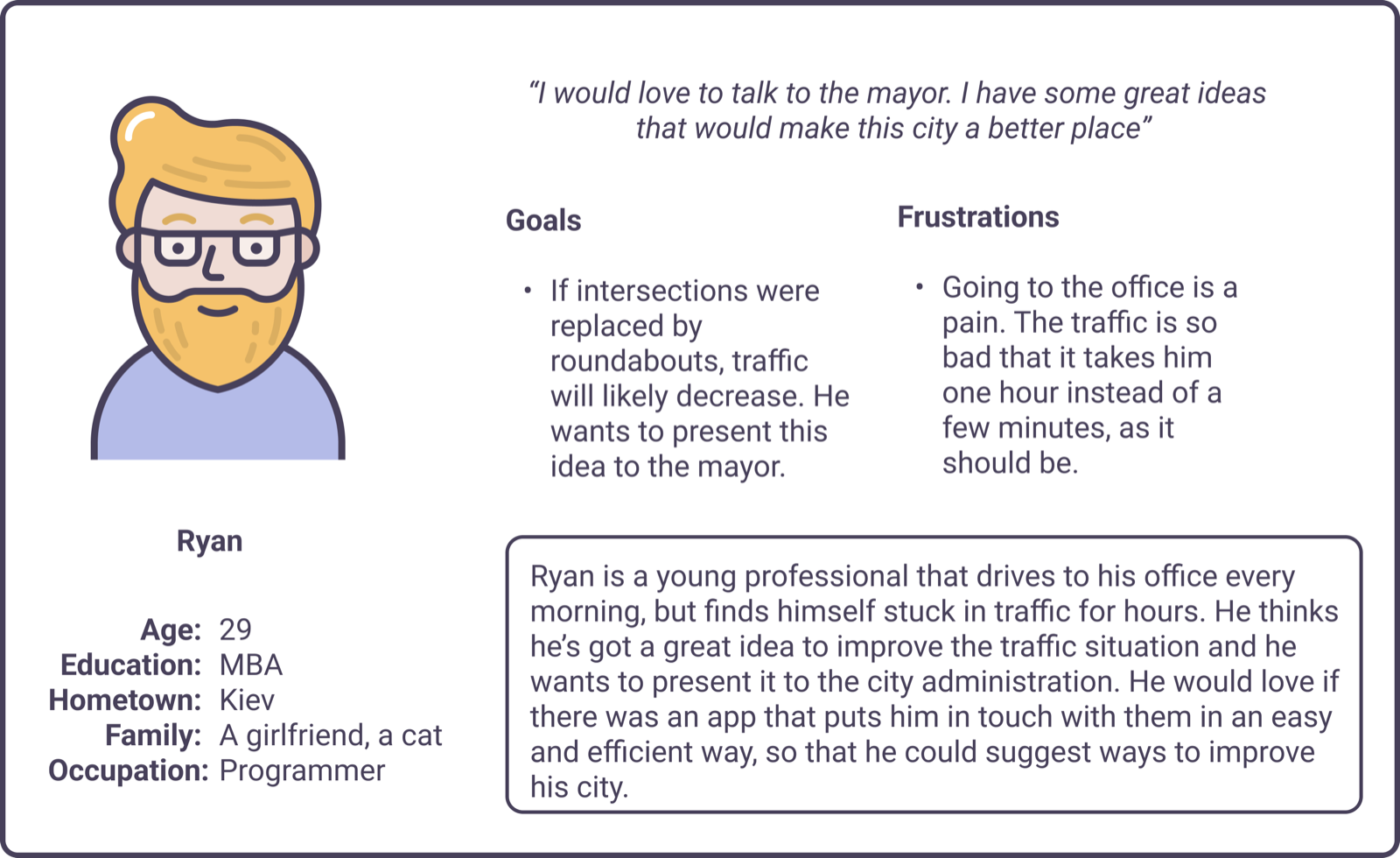
Persona 1: Ryan
A young professional who drives to the office every morning and needs to reach the mayor, because he wants to suggest ways to reduce traffic jams in his city.
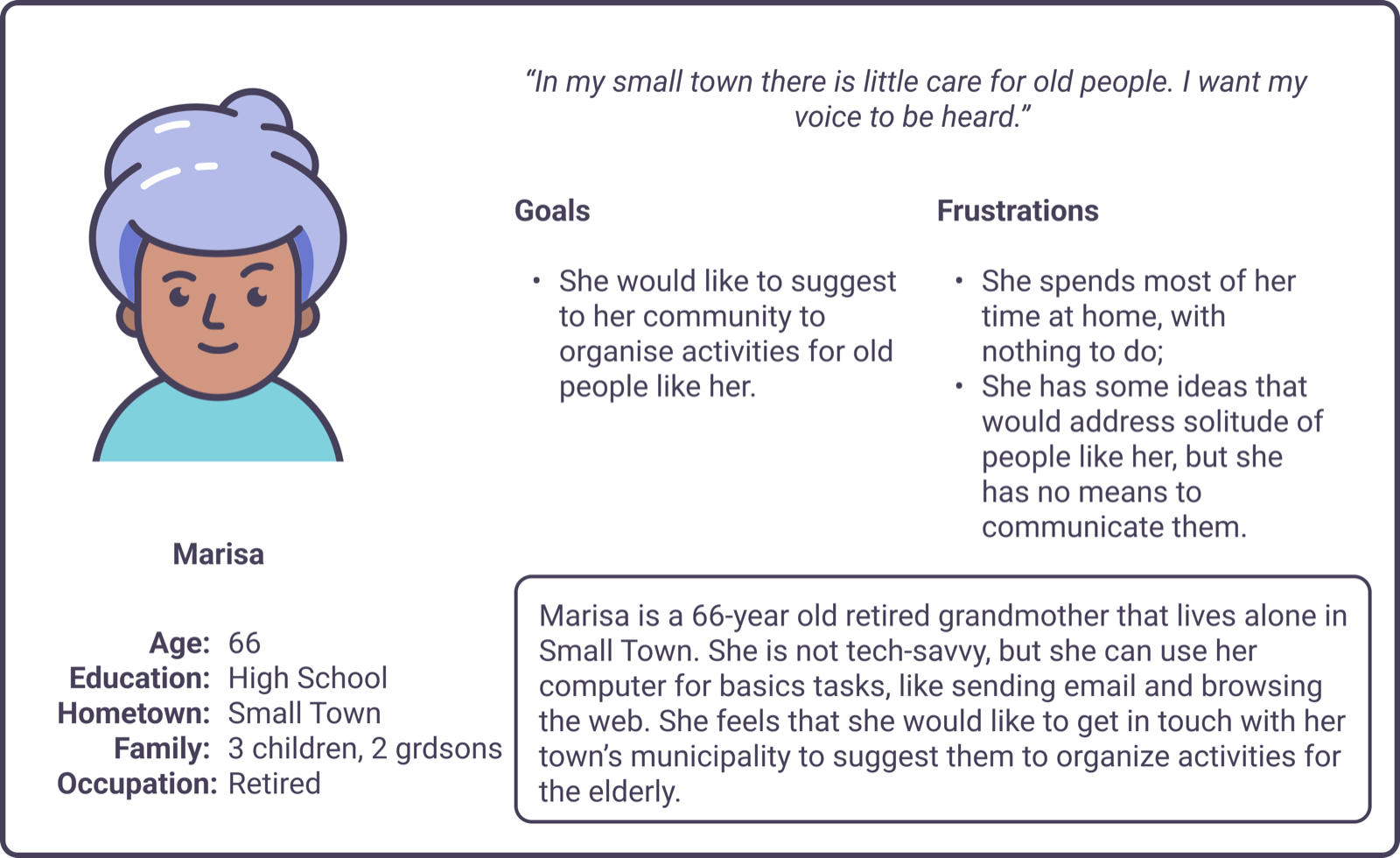
Persona 2: Marisa
A retired grandmother who lives alone and needs to voice her ideas to her community, because she wants to suggest social activities for the elderly in her neighbourhood.
Competitive audit
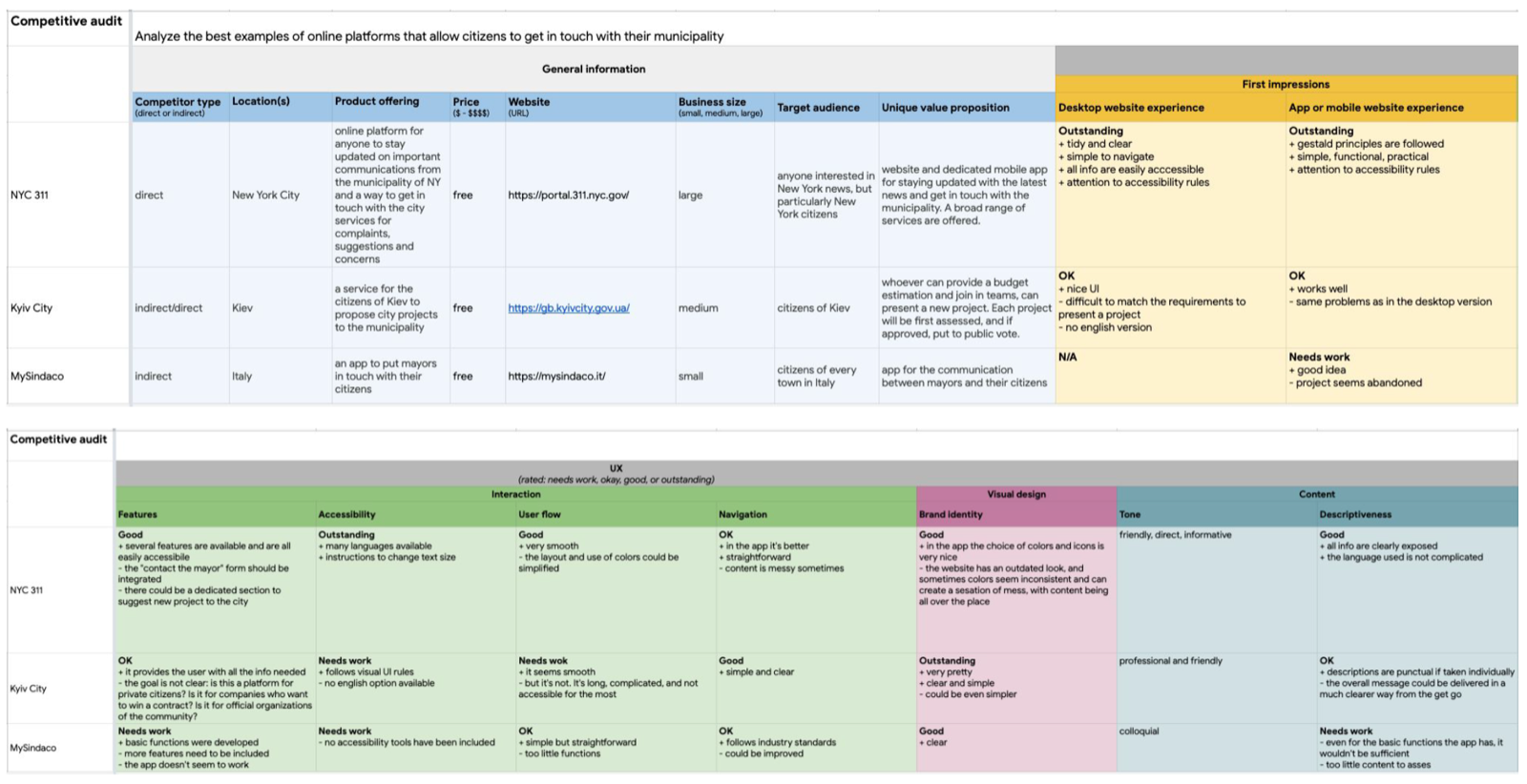
I found only three similar products, all indirect competitors. Just one came close to what I had in mind, and even there I saw room to improve the flow and make the experience seamless.
Ideation
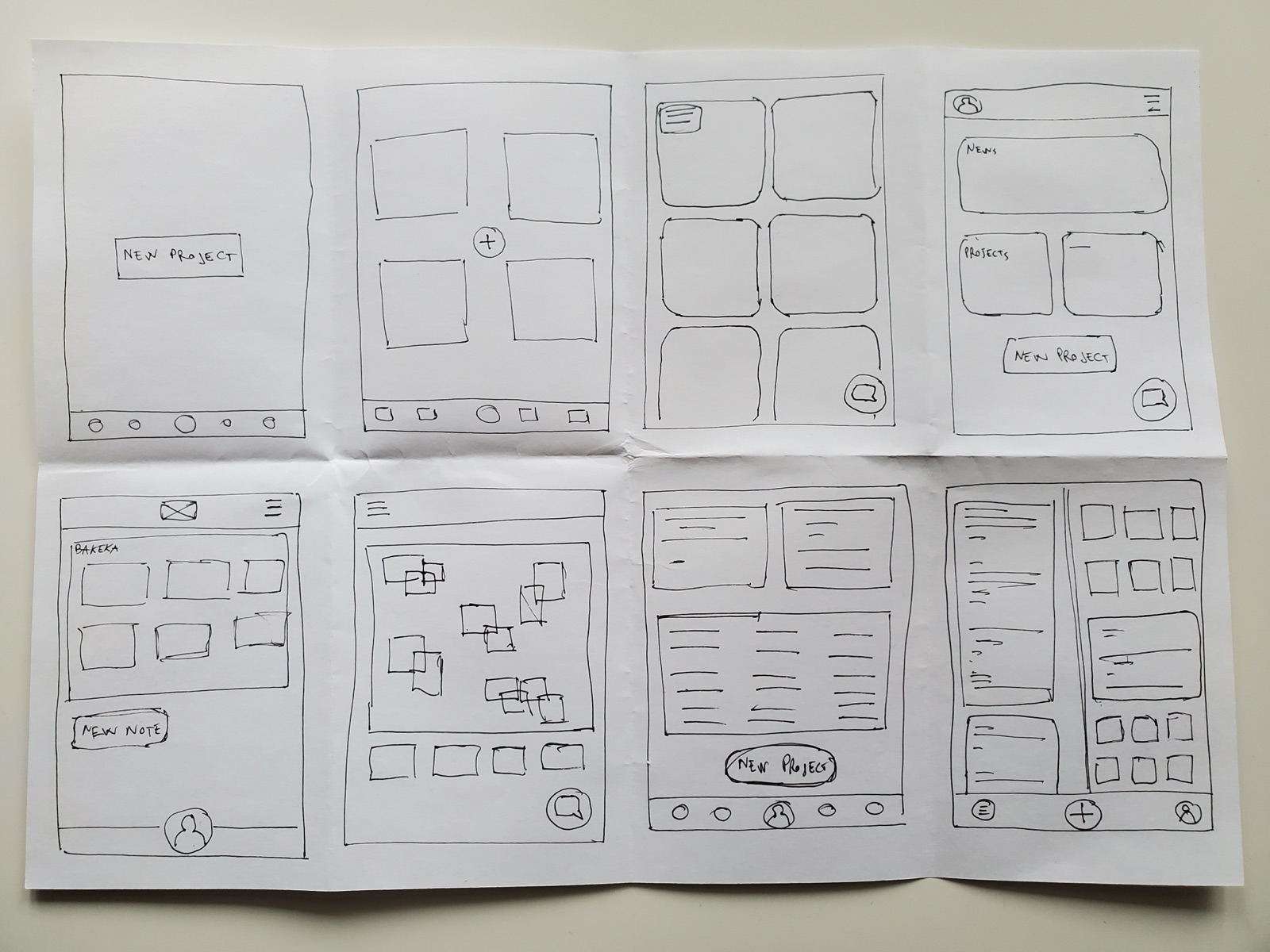
With the benchmark and areas of improvement in hand, I used Crazy Eights to explore a range of screens for the app's main flow, since the mobile app came first.
03
Starting the design
Cards for every idea
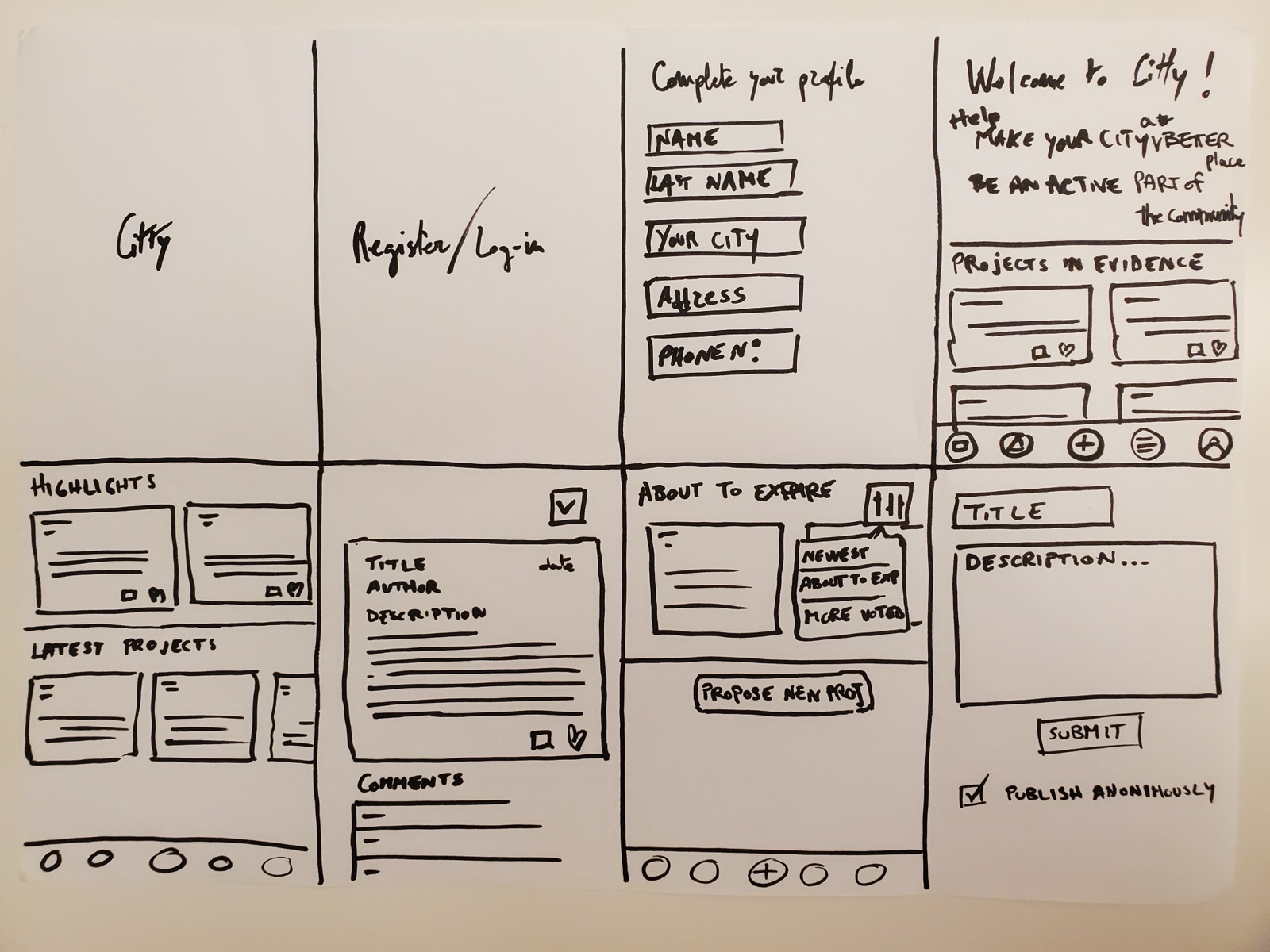
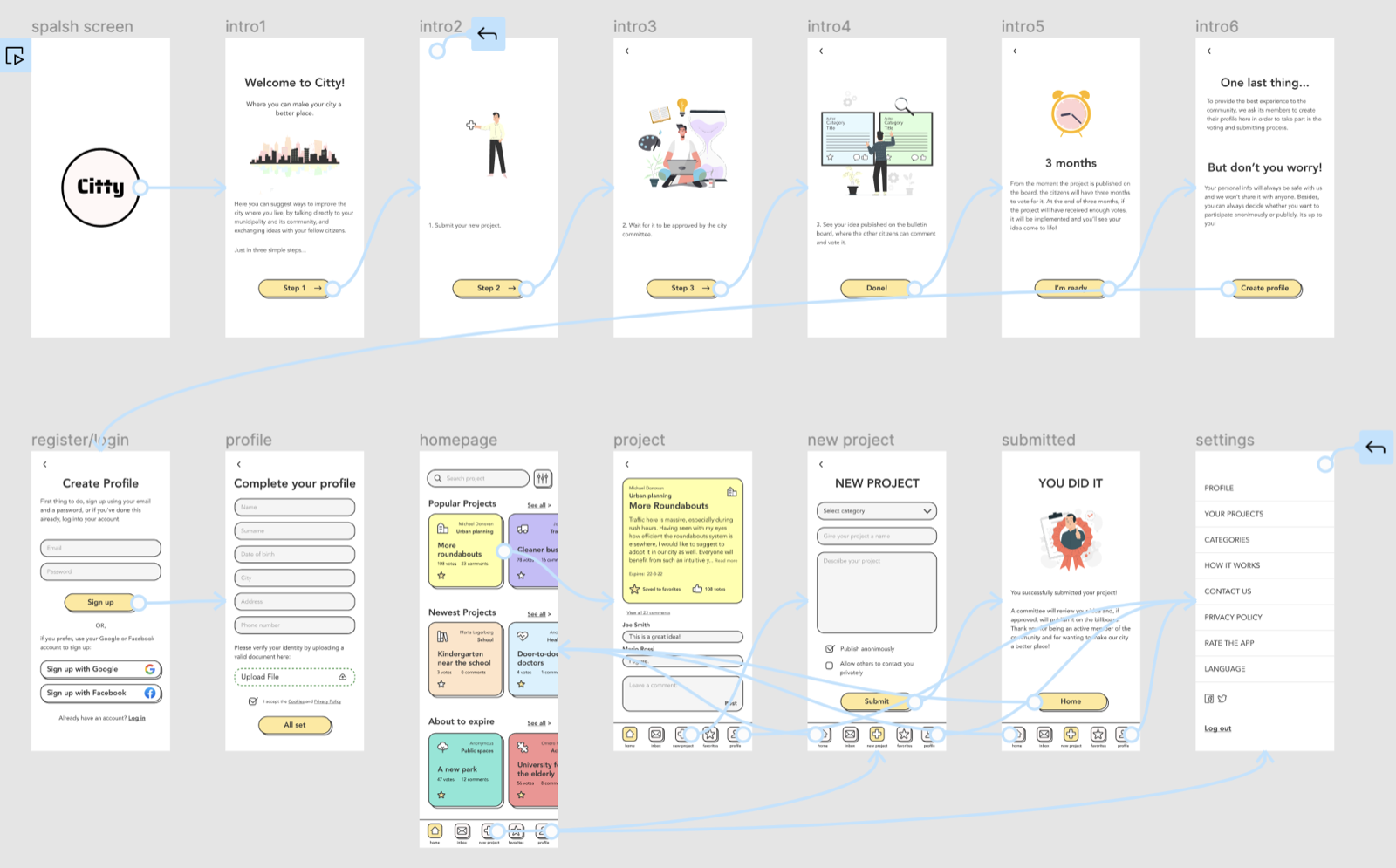
I drafted the main flow on paper first: eight screens covering splash, login, profile setup, three home screens, project detail and submitting a new project.
Digital wireframes
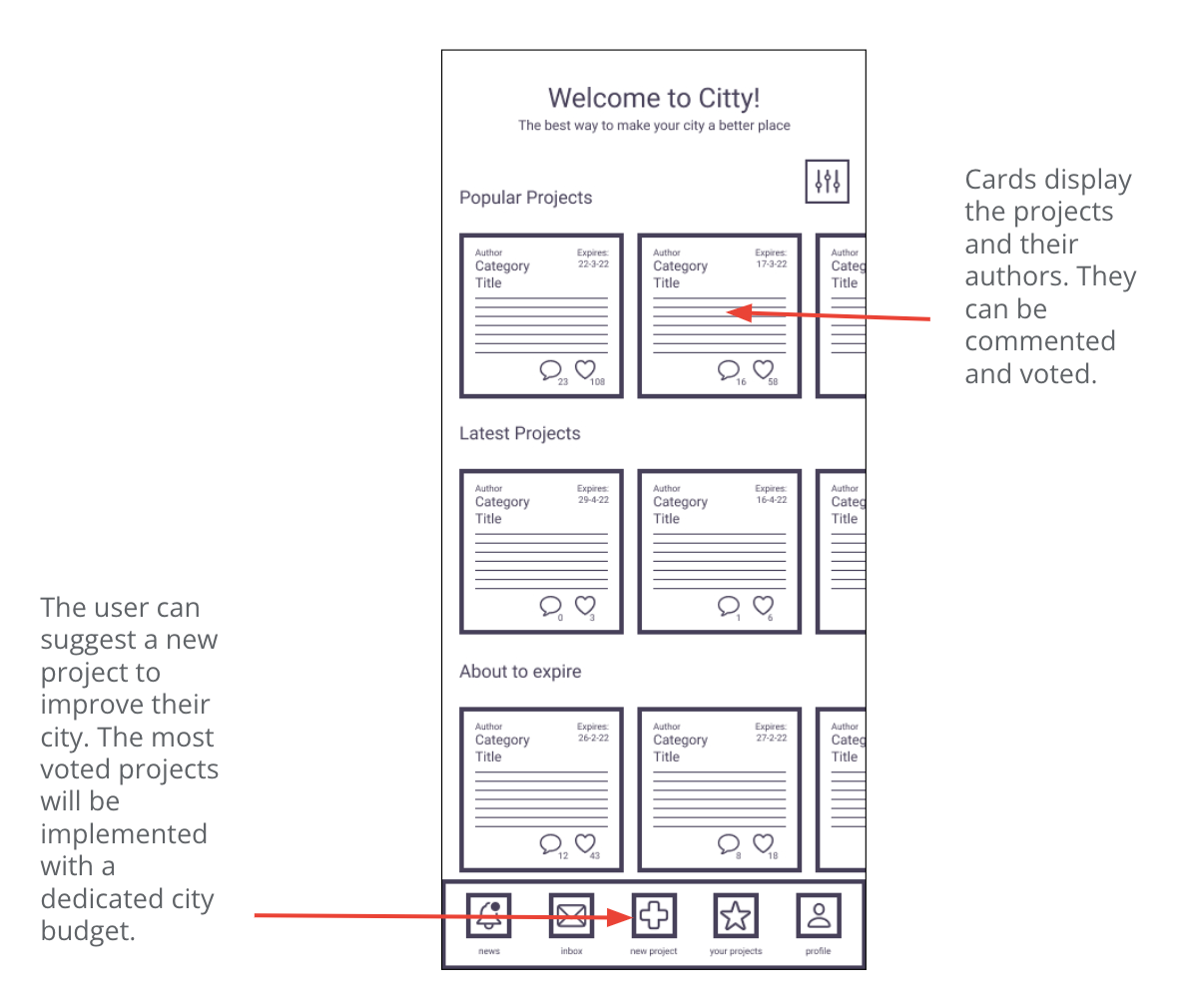
Many target users aren't tech-savvy, so the layout had to be straightforward: a home screen made of cards, each holding a different project to improve the city.
Usability study
I ran a moderated usability study with 5 participants on a low-fidelity prototype. The main findings:
- 01
Onboarding
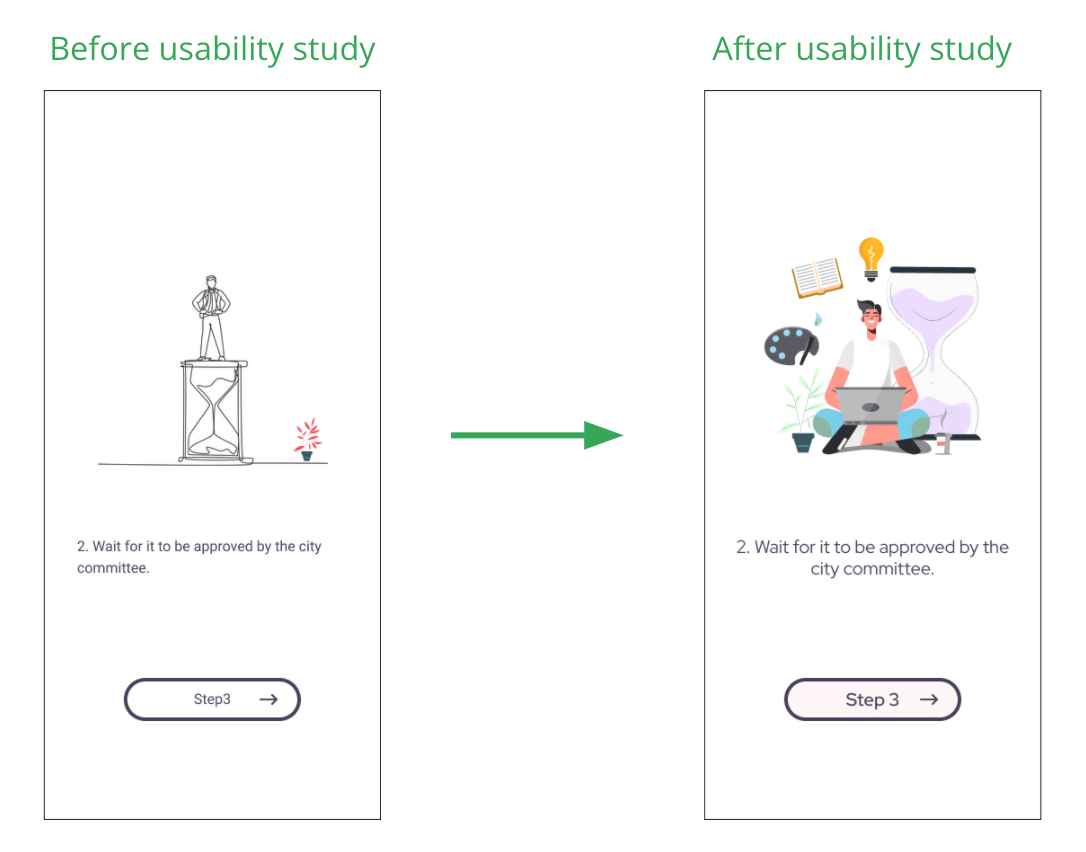
Intro screens with text and illustrations should explain what the product does. - 02
Interface
The heart icon was ambiguous (like or vote?): replace it with a vote icon and add a star to save favourites. - 03
Search
Add a search bar to explore and find specific projects.
04
Refining the design
Bigger cards, clearer paths
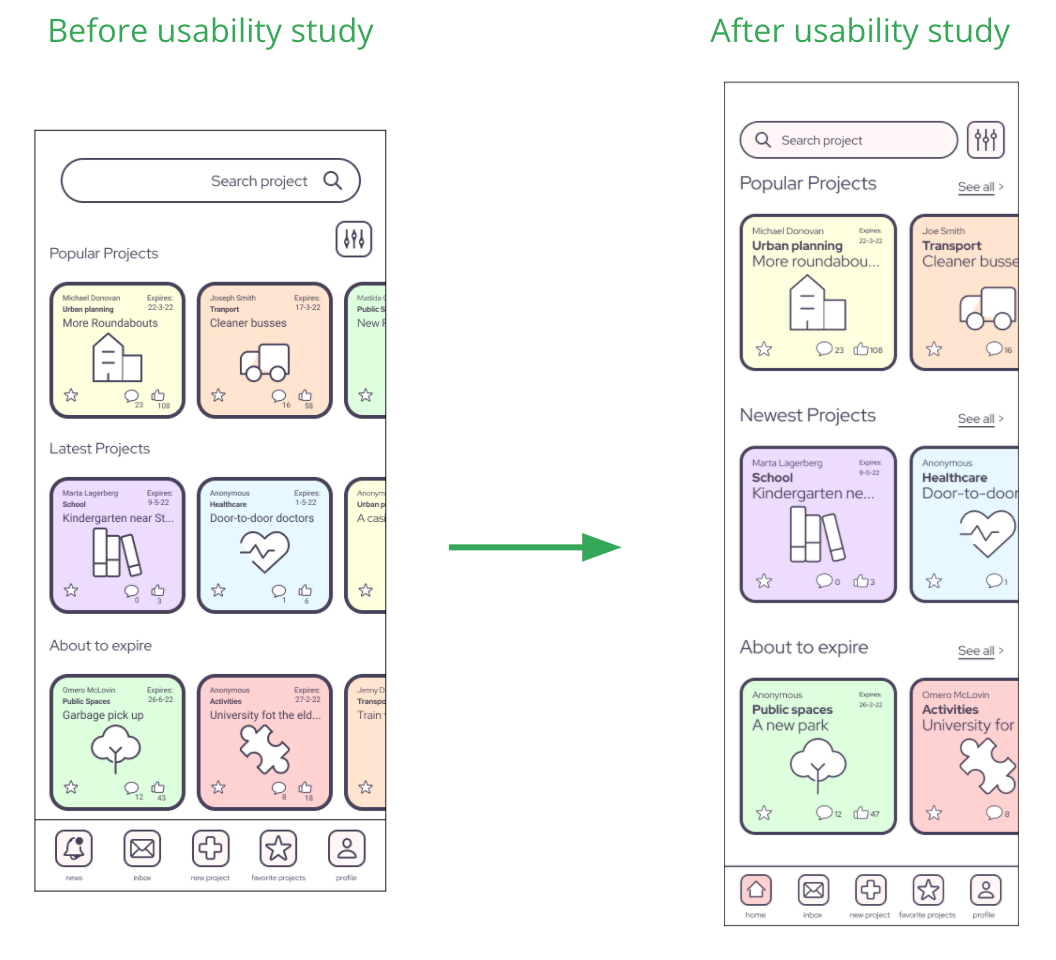
Testing the hi-fi prototype sharpened the design. The first version had smaller cards and a slightly different layout, and the bottom bar lacked a Home icon: I added it in place of Notifications, which now lives inside Profile.
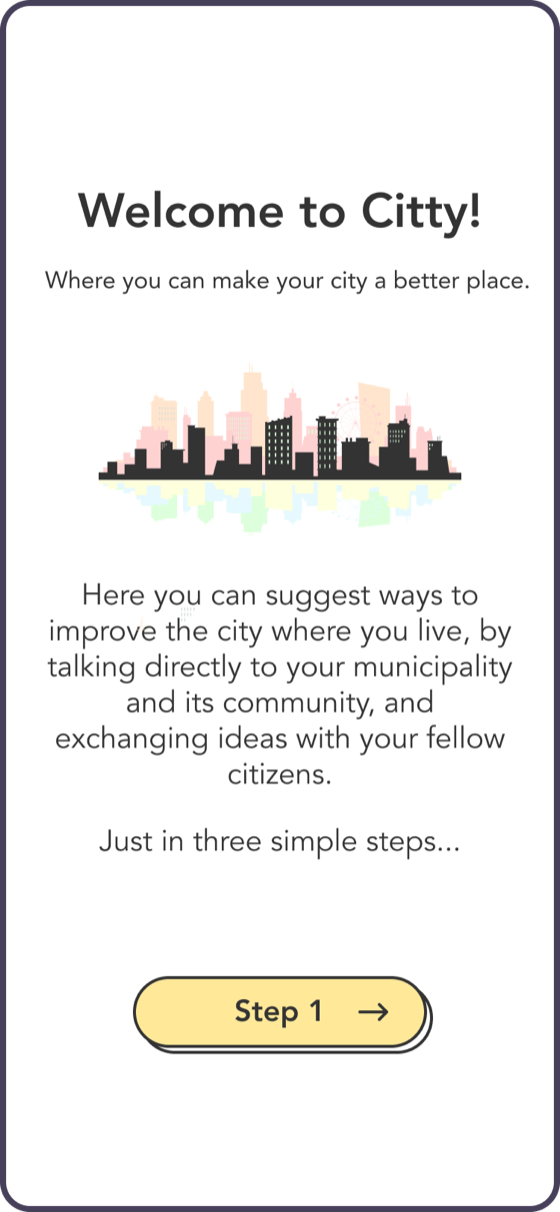
Illustrations guide users and explain how the app works, so the visuals had to improve significantly.
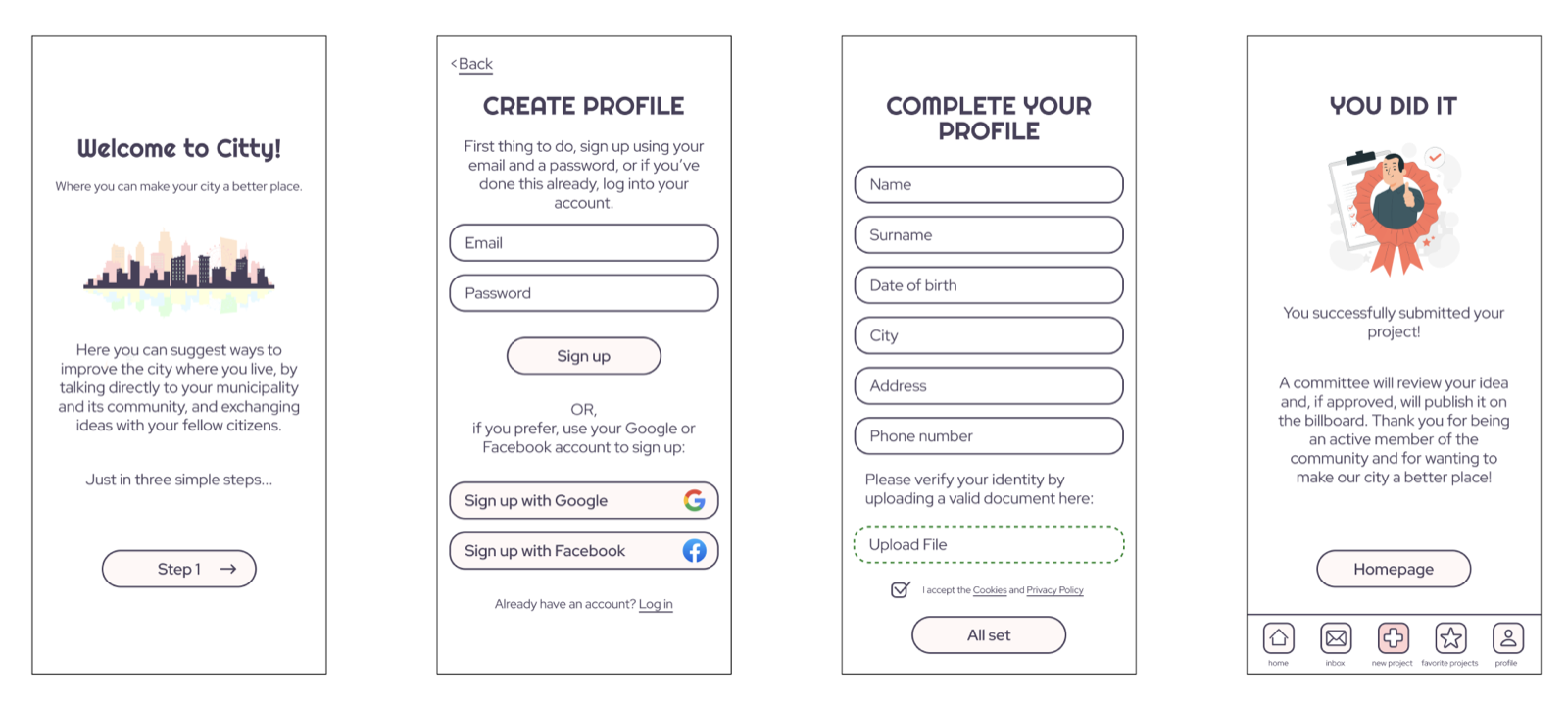
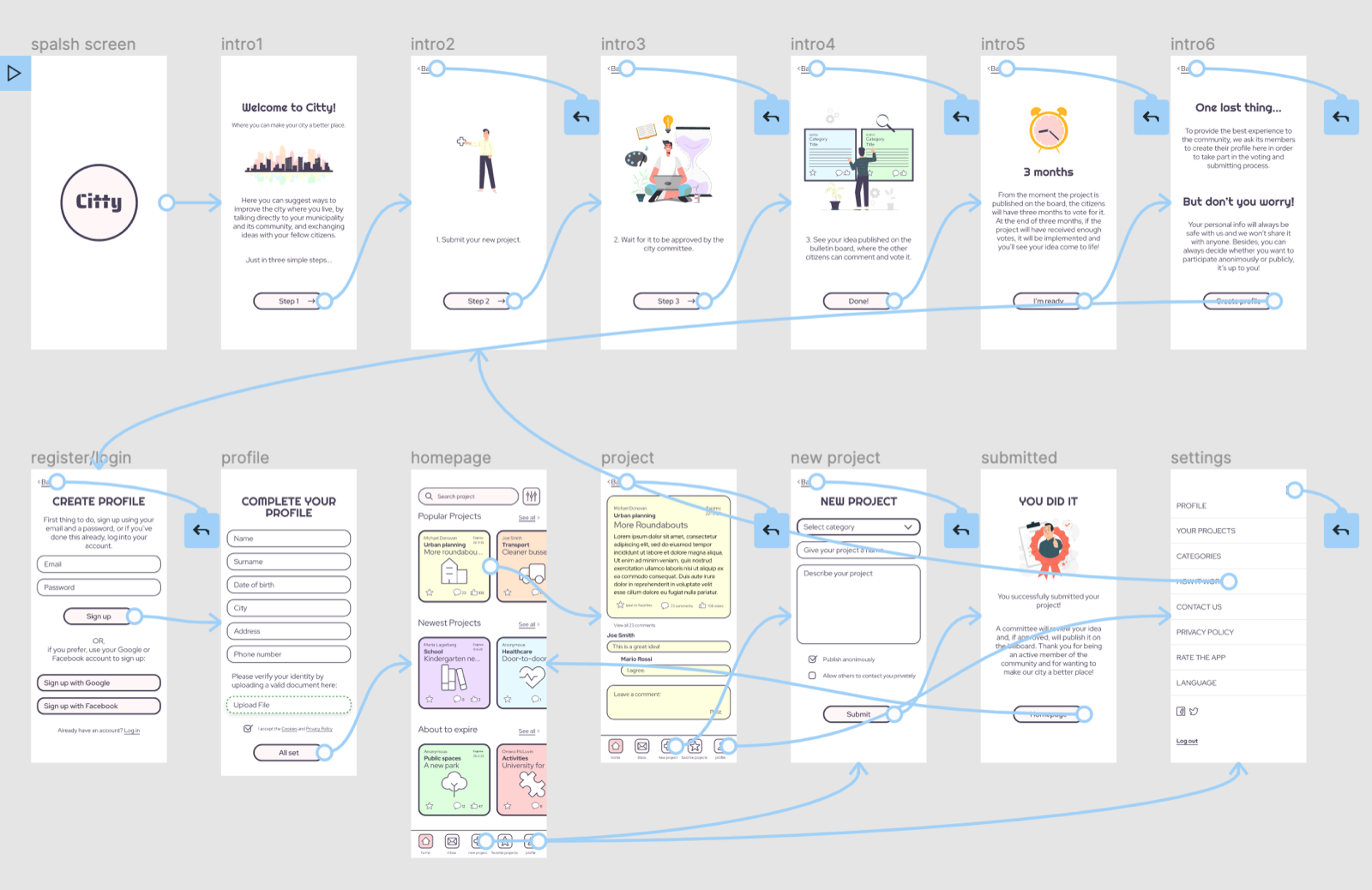
High-fidelity prototype
With the changes from the usability study. Main flow: from onboarding through creating a new project, plus the project and menu screens.
Accessibility
- Guidance
Designed for all ages: less tech-savvy users are guided by illustrations and plain vocabulary.
- Languages
Multiple languages are available.
- Visuals
Good contrast and large text, components and images help people with visual impairments.
05
Responsive design
Mobile first
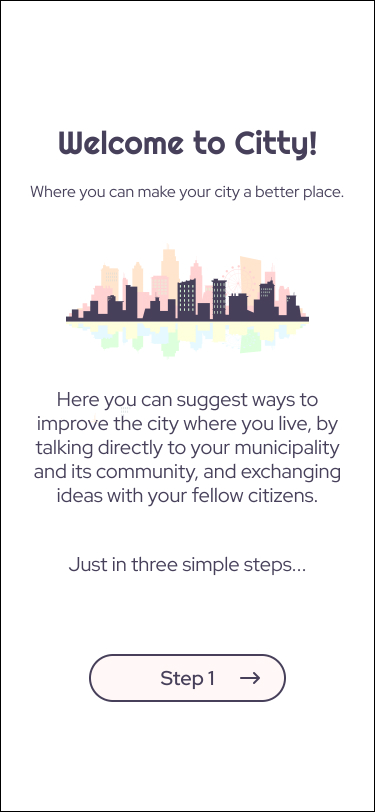
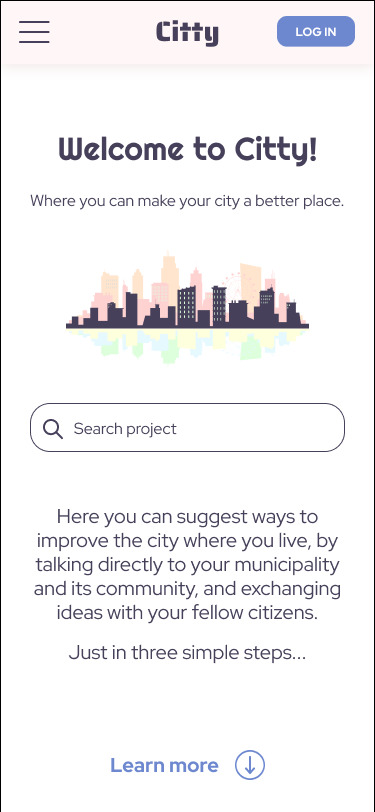
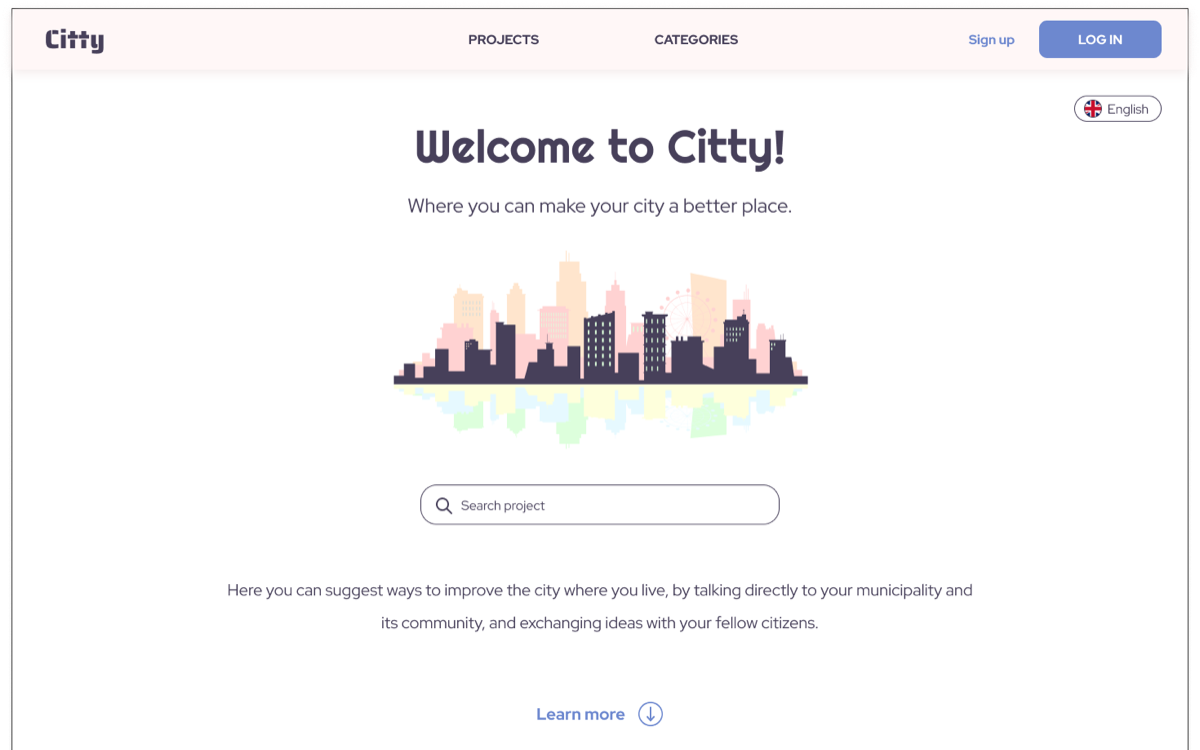
After the first iteration of the app, I adapted the design to the web, mobile first: the mobile website, then desktop, optimising each for its screen size and its users.
Sitemap
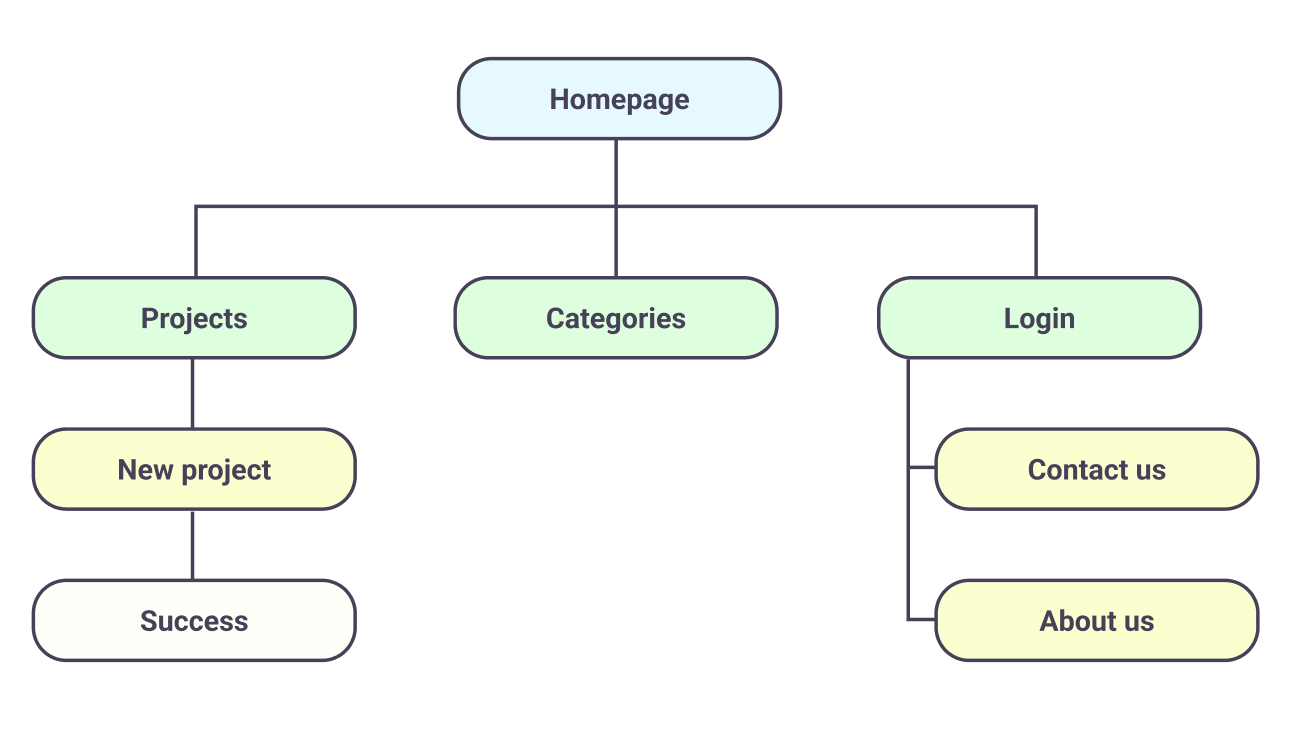
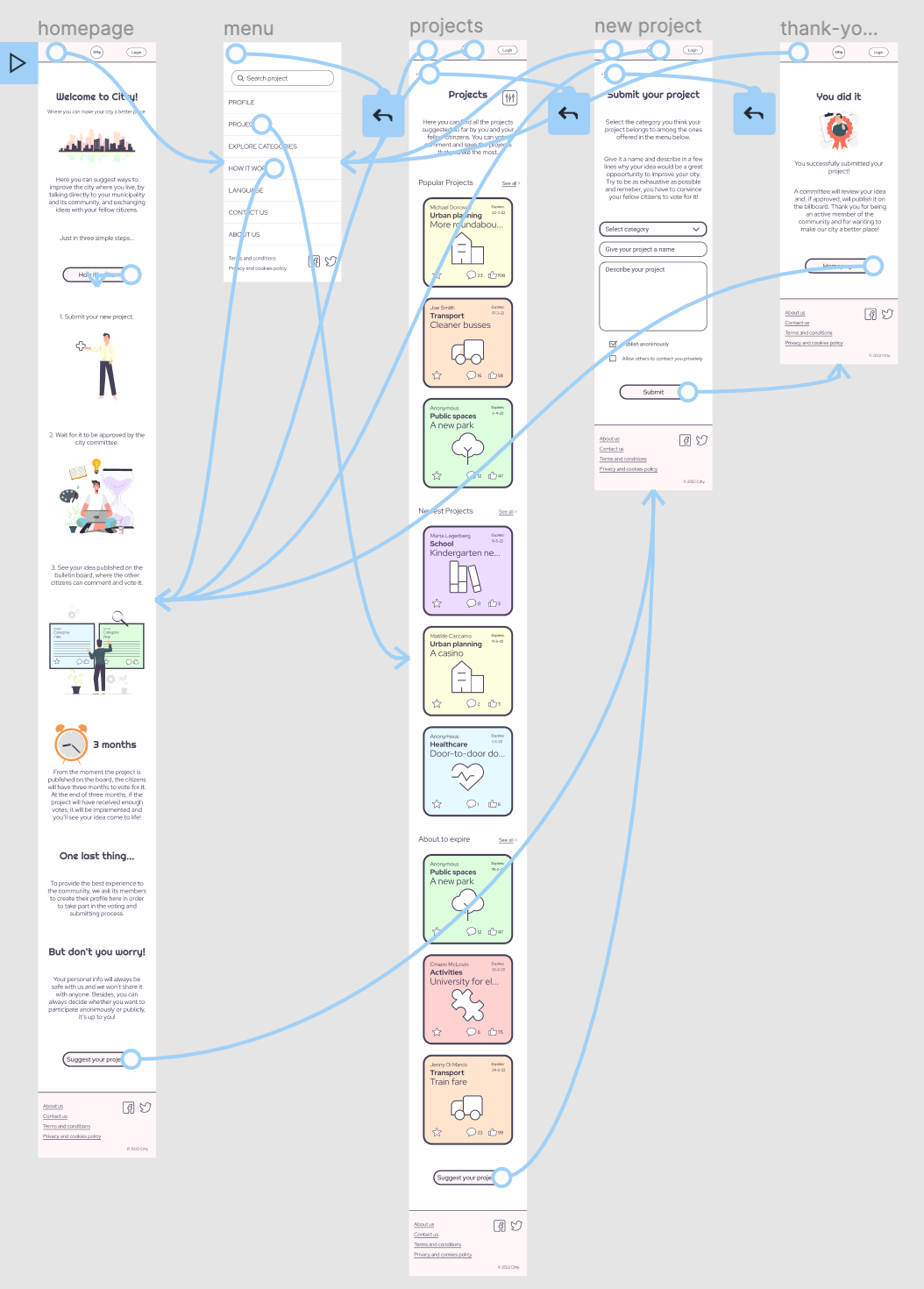
The website mixes a hierarchical structure (pages at the same level, and parent and child pages) with a sequential one for creating a new project.
Website prototypes
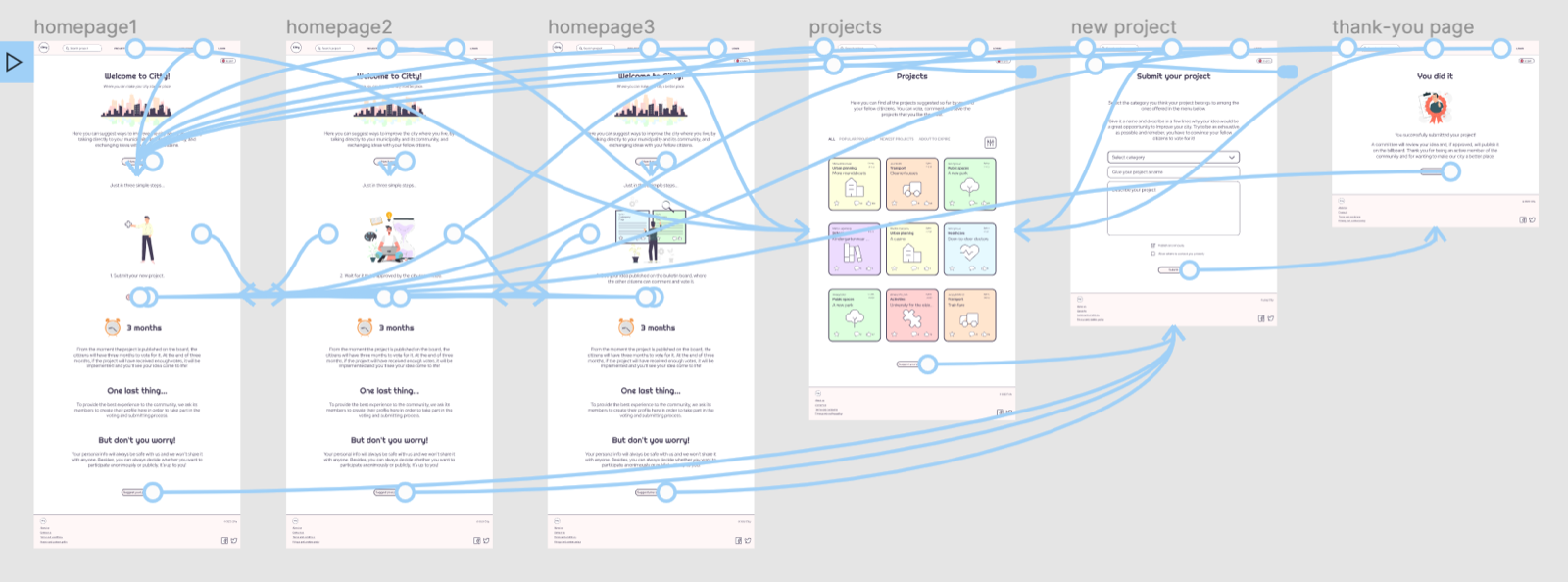
Main flow: from the homepage through creating a new project, plus the projects page (and the menu on mobile).
06
Iteration & UI
Another round on the UI
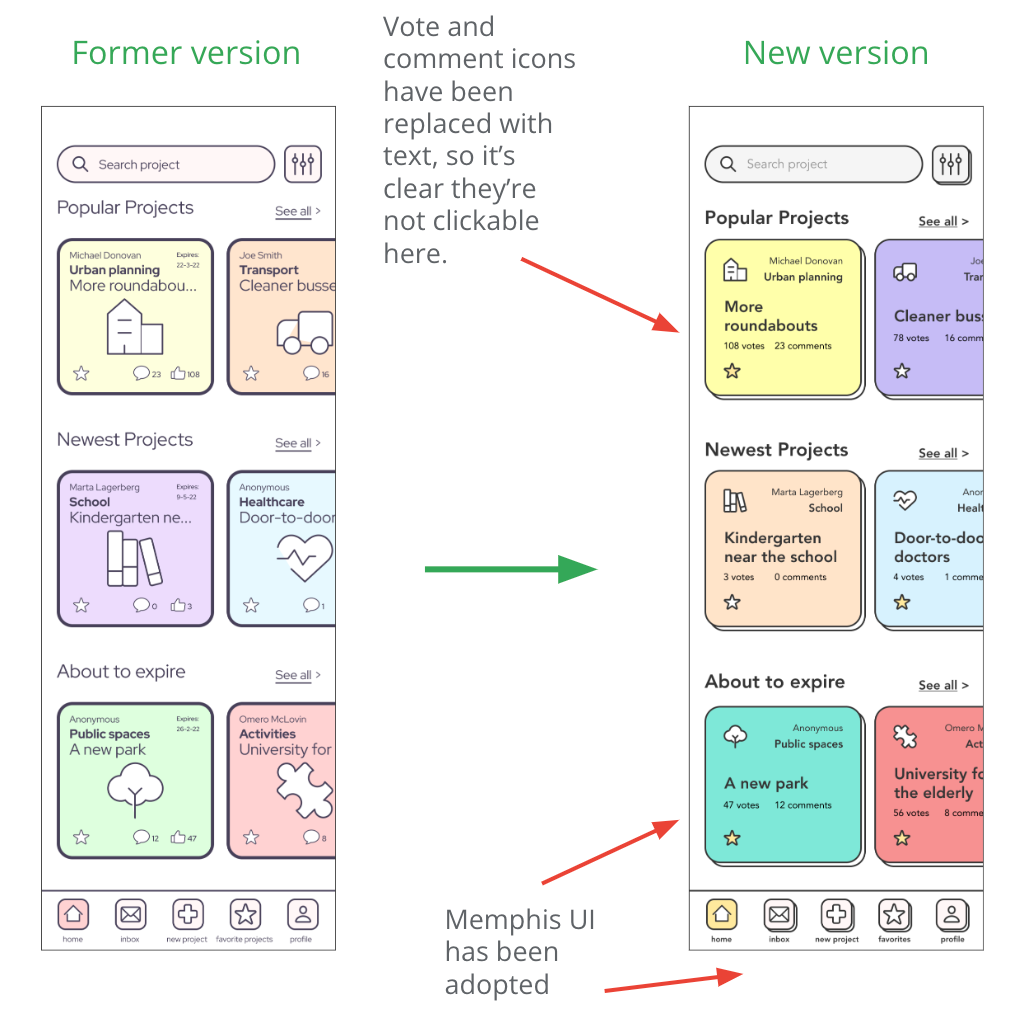
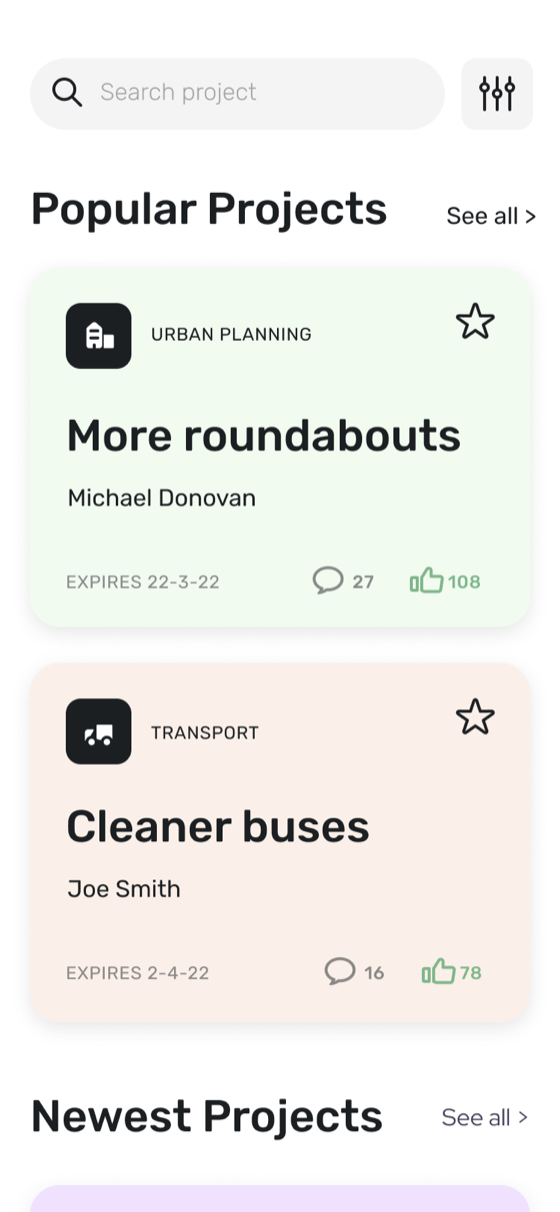
After the first iteration, more testing showed the UI still needed work. I restyled core elements like the project cards, keeping the same functions but making the information more legible.
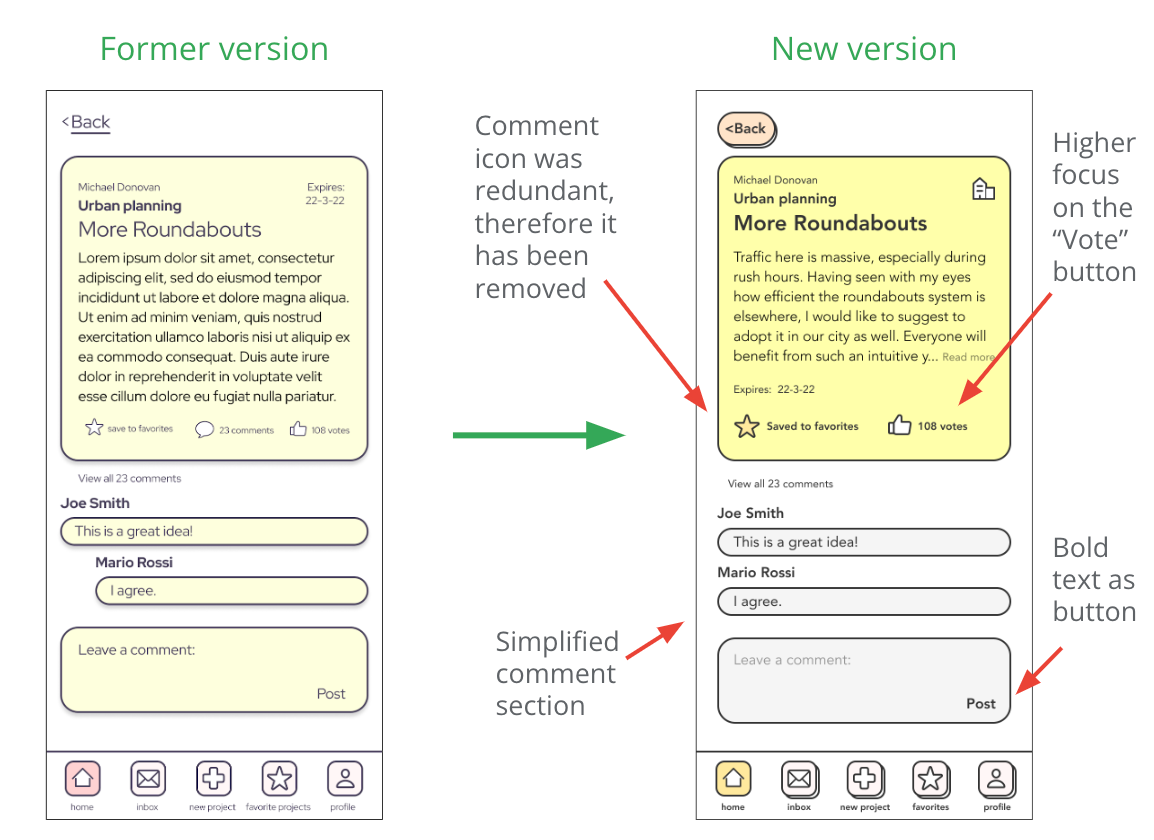
The project page is the heart of the app, where people vote and comment on each other's projects, so its calls to action needed to stand out more and feel closer to the cause.
White-label experiments
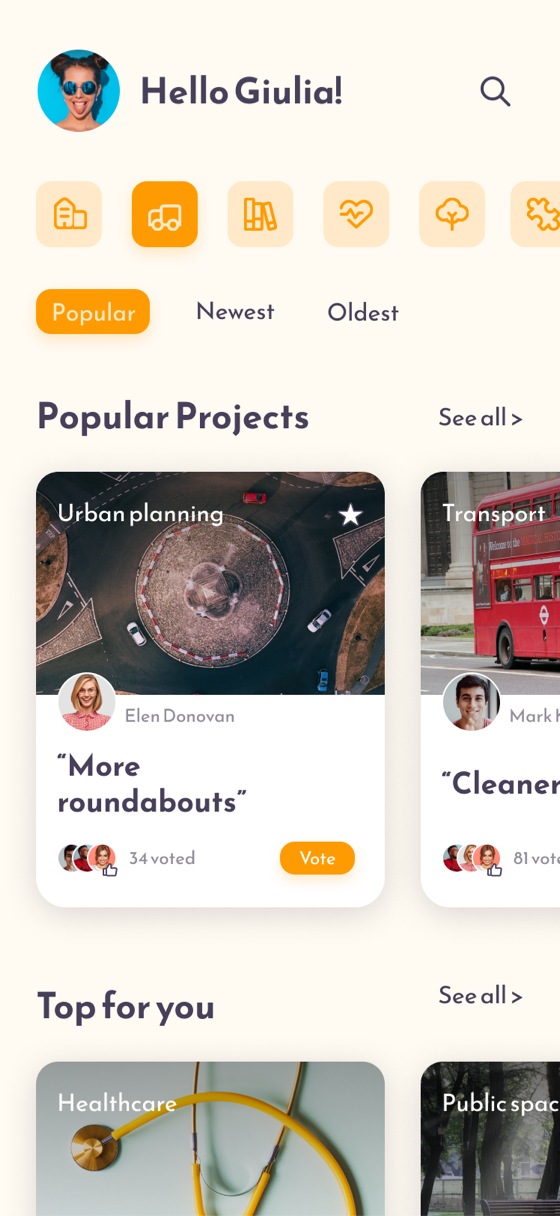
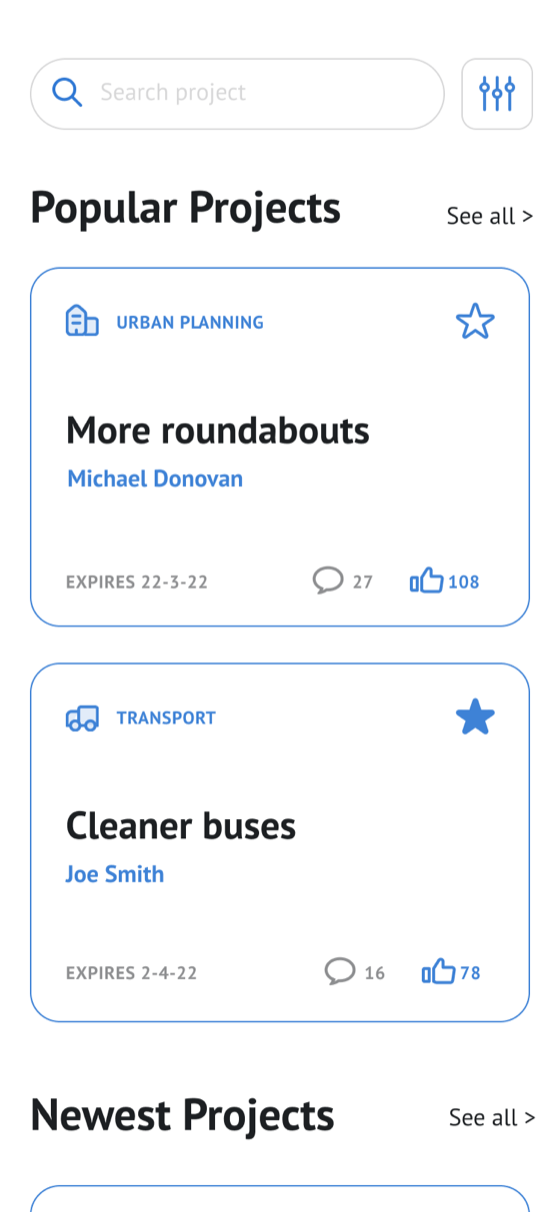
To explore Citty as a white-label product, I designed three more versions of the homepage, each with its own design language for a different audience.
07
Going forward
Impact
After a final round of testing, the app received very positive feedback.
“I love the concept of this app, because I would finally be able to reach out to the people in charge and suggest ways to make my town a better place.”
“It's a remarkable idea and a well crafted product. Very easy to use and straight to the point. I feel my voice can finally be heard by my community. I feel less lonely.”
“This app takes democracy to the next level.”
What I learned
People's need to be heard is real. With this app citizens can speak to their community, and the city can make choices based on what its people actually need and ask for.
Next steps
- Promotion
Convince cities to adopt the product.
- Admin dashboard
Build the back-office dashboard for the administration.
- Further research
Launch, track metrics and keep researching to decide what to adjust next.