UX case studies / CS-01 · Freelance
Car dealership.
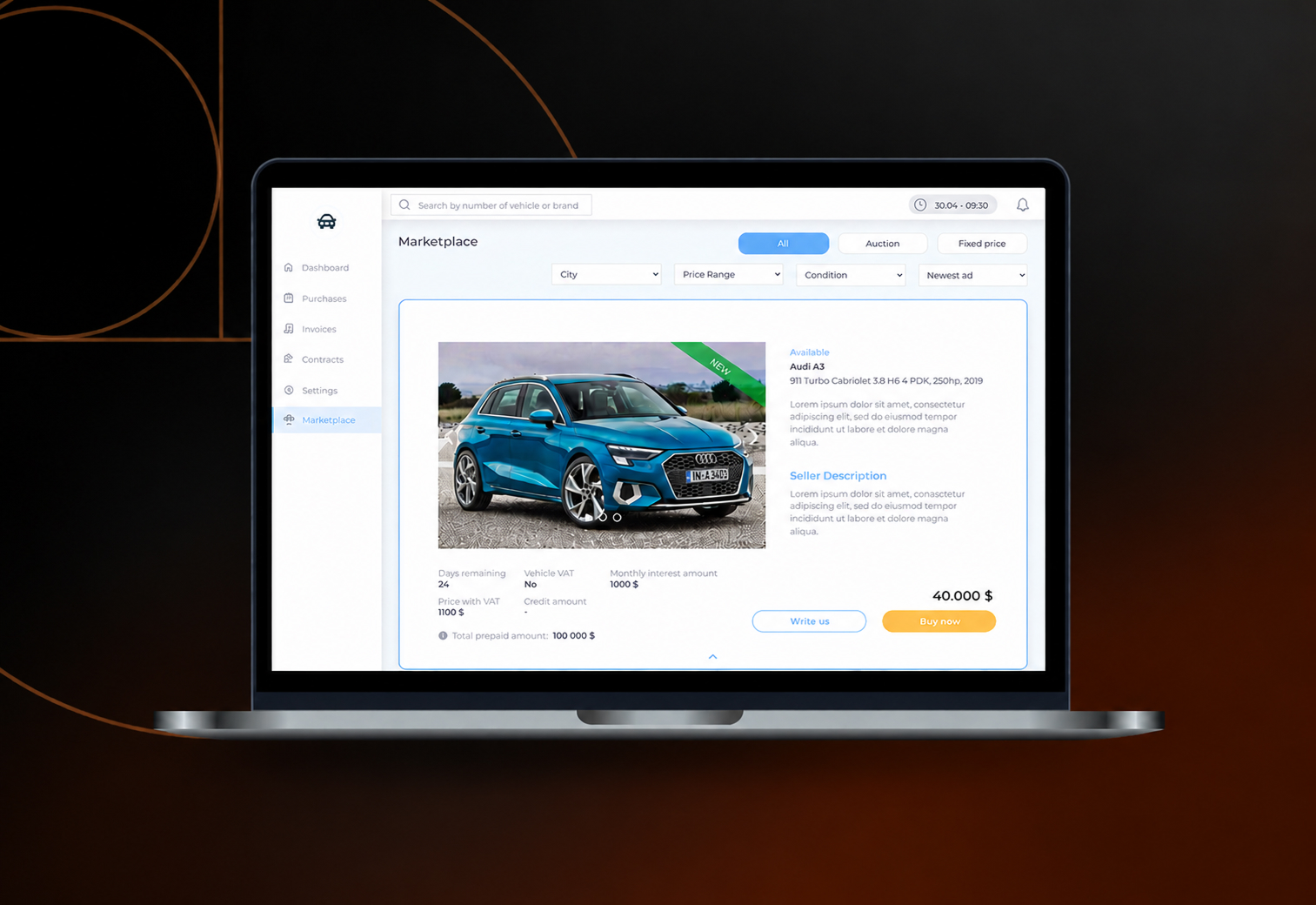
A dashboard and a built-in marketplace that help Swedish car dealers find the best deals and close them in one place, designed for desktop and then made fully responsive.
01
Overview
Closing deals, faster
- Role
- UX Researcher, UX/UI Designer
- Duration
- December 2021 – January 2022
- Work
- User and market research, wireframing, prototyping, testing
The problem
More and more car dealers want an efficient way to close deals, and demand is especially strong in Sweden. A Swedish company brought me into one of the first initiatives in this space: an online platform connecting dealers, sellers and buyers, focused on closing deals efficiently.
The product
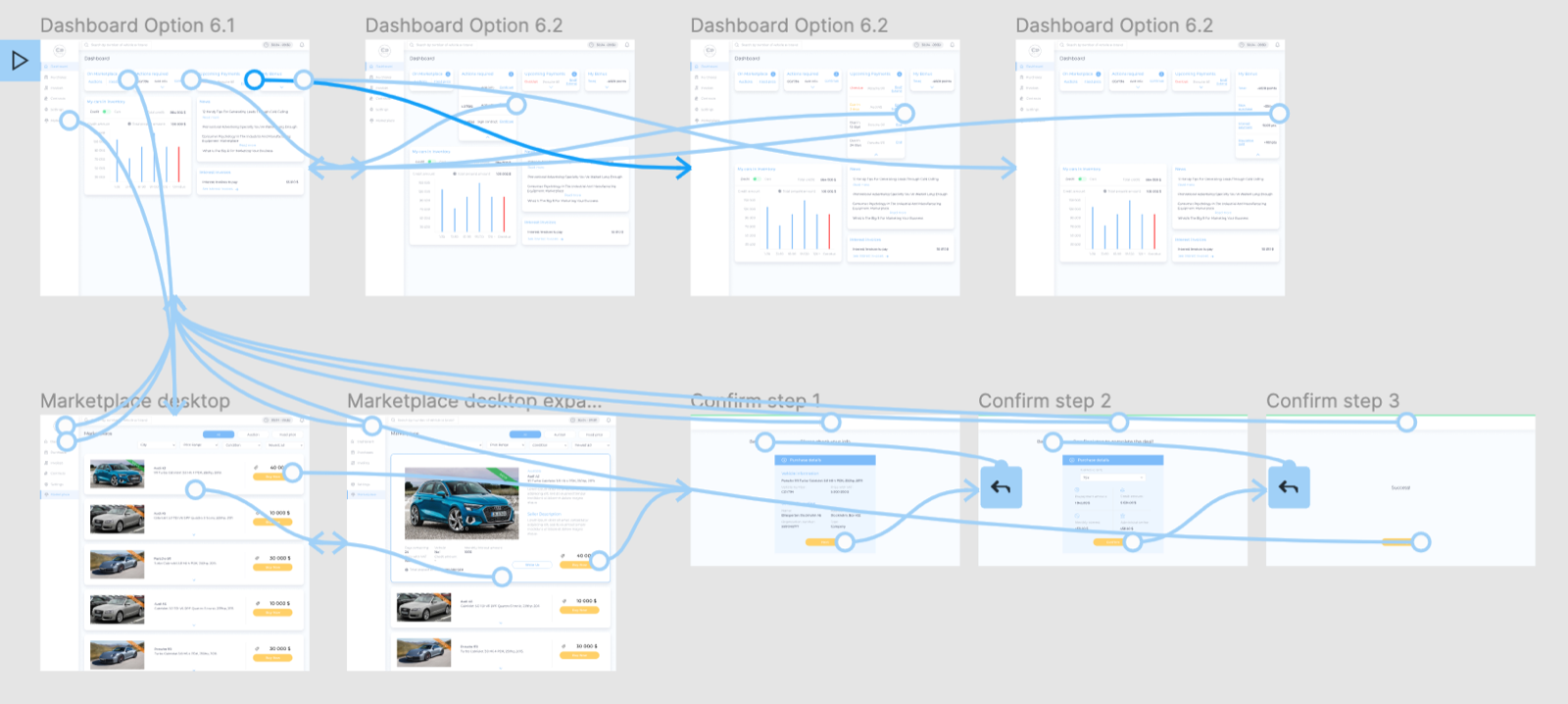
A checkout flow for a marketplace built into the company's existing website, starting from the user's dashboard and ending with a completed purchase. I designed the desktop version first, then the responsive one for mobile.
The goal
Support car dealers in closing deals through an easy, one-stop shop that gives them everything they need in one place.
02
Understanding the user
Three dealers, two needs
I started by interviewing 3 car dealers who already used the website. Their answers showed two main wants: easy access to funds, and an easy way to exchange the goods and services they look for or offer. The first was already covered by the company, so this project focuses on the second.
- Marketplace
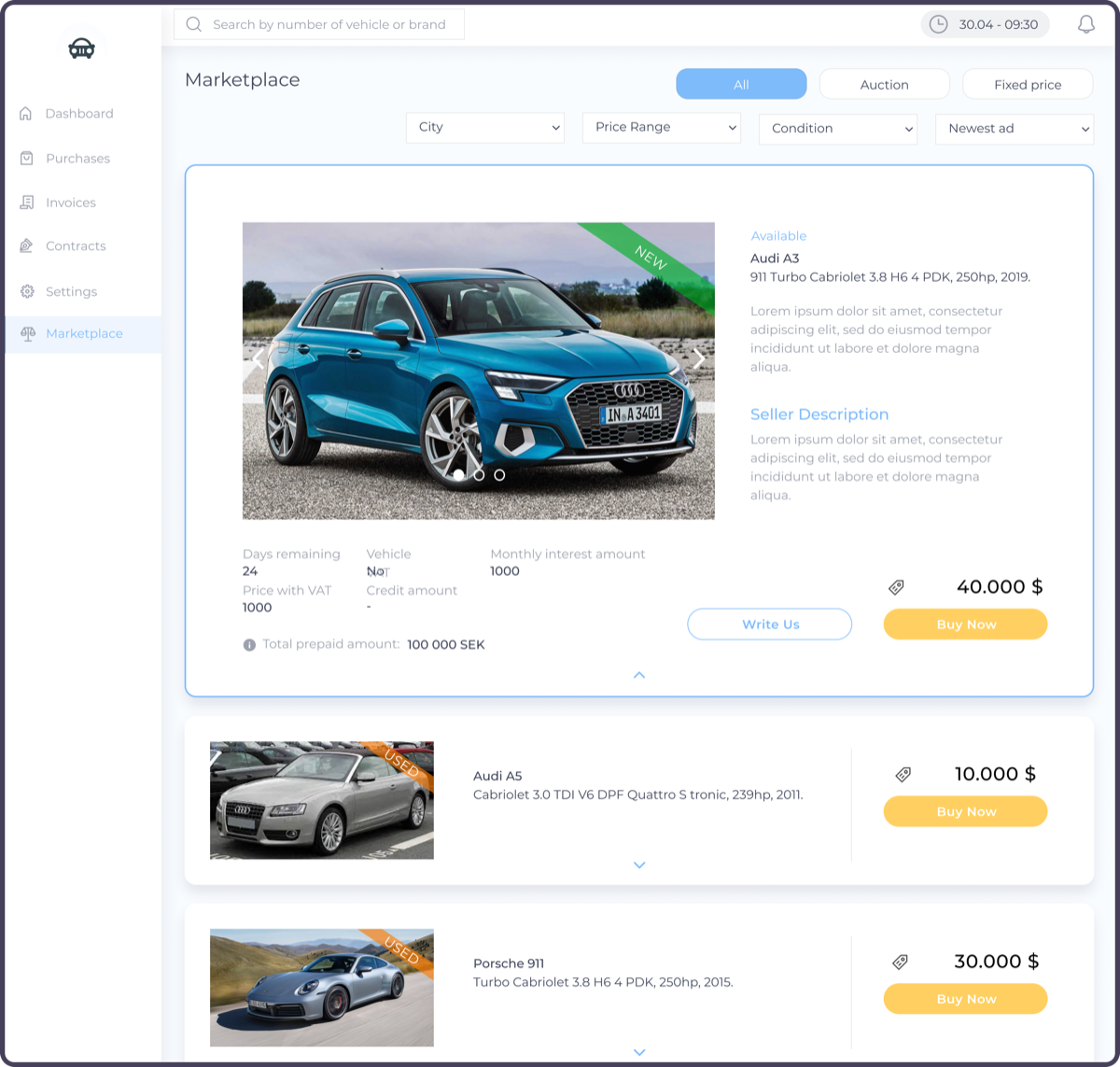
An easy-to-browse online space to find and showcase the best deals, designed and built into the website.
- Dashboard
One place where all the most important information is gathered.
- Easy to use
Older users need to feel comfortable too, so navigation and interface must be straightforward and meet accessibility standards.
Persona: Tony
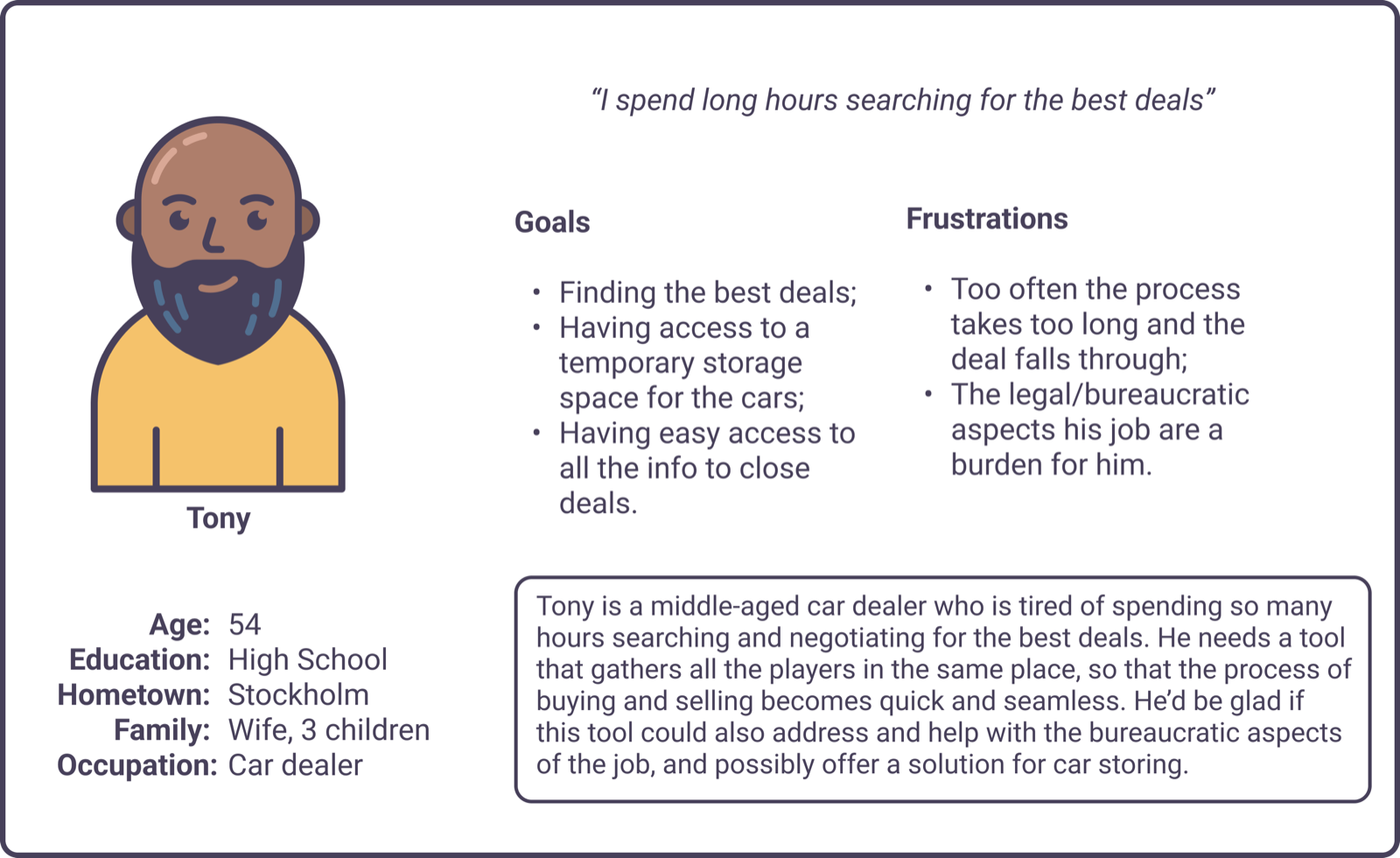
Tony is a car dealer who needs an online platform that is easy to navigate and shows every deal on the market, because he wants to find the best deals and manage them all from one place.
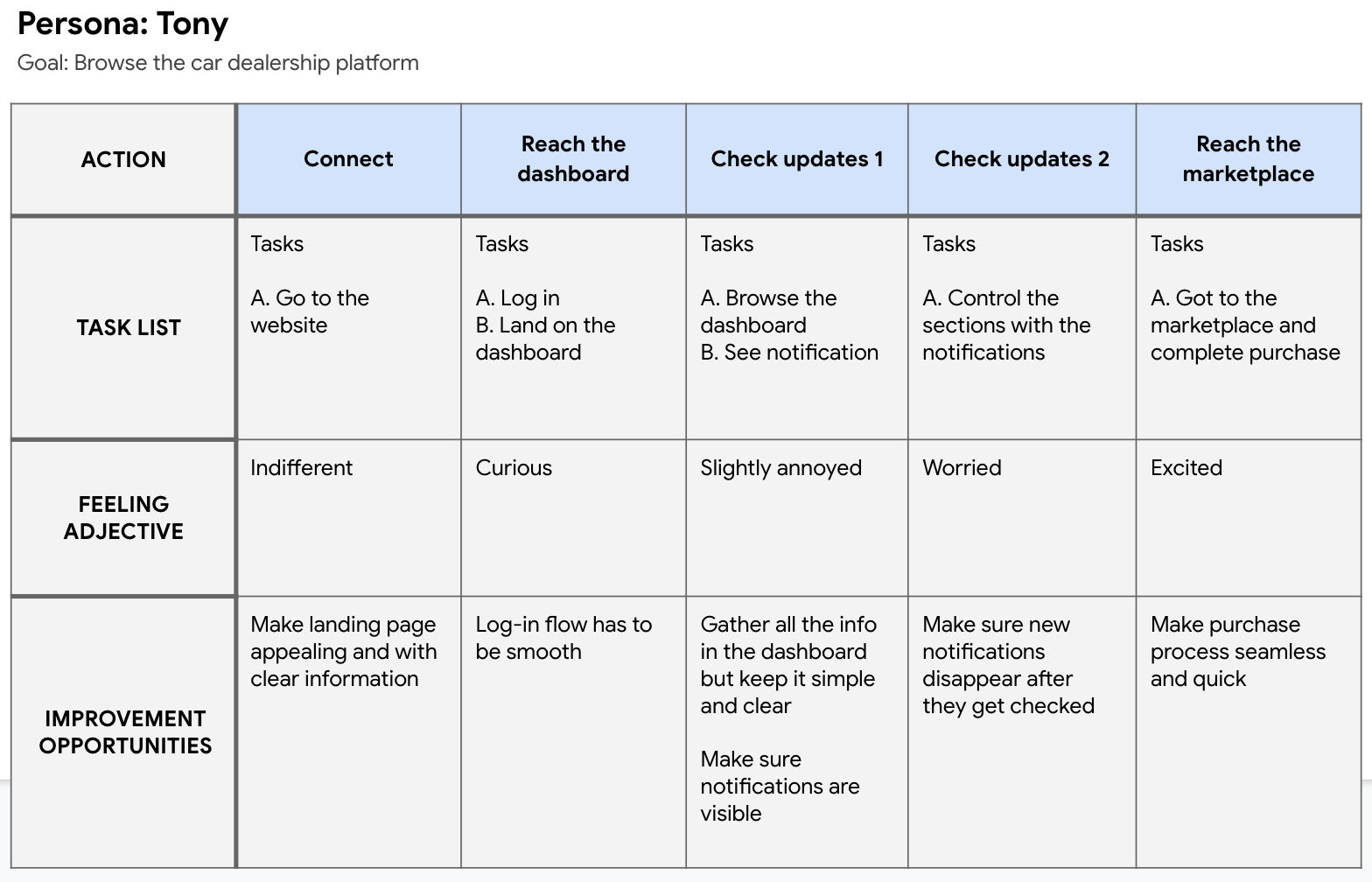
His journey goes from the homepage to login, then from the dashboard to the marketplace. I focused on those last two steps to deliver the best buying experience.
03
Starting the design
Structure first
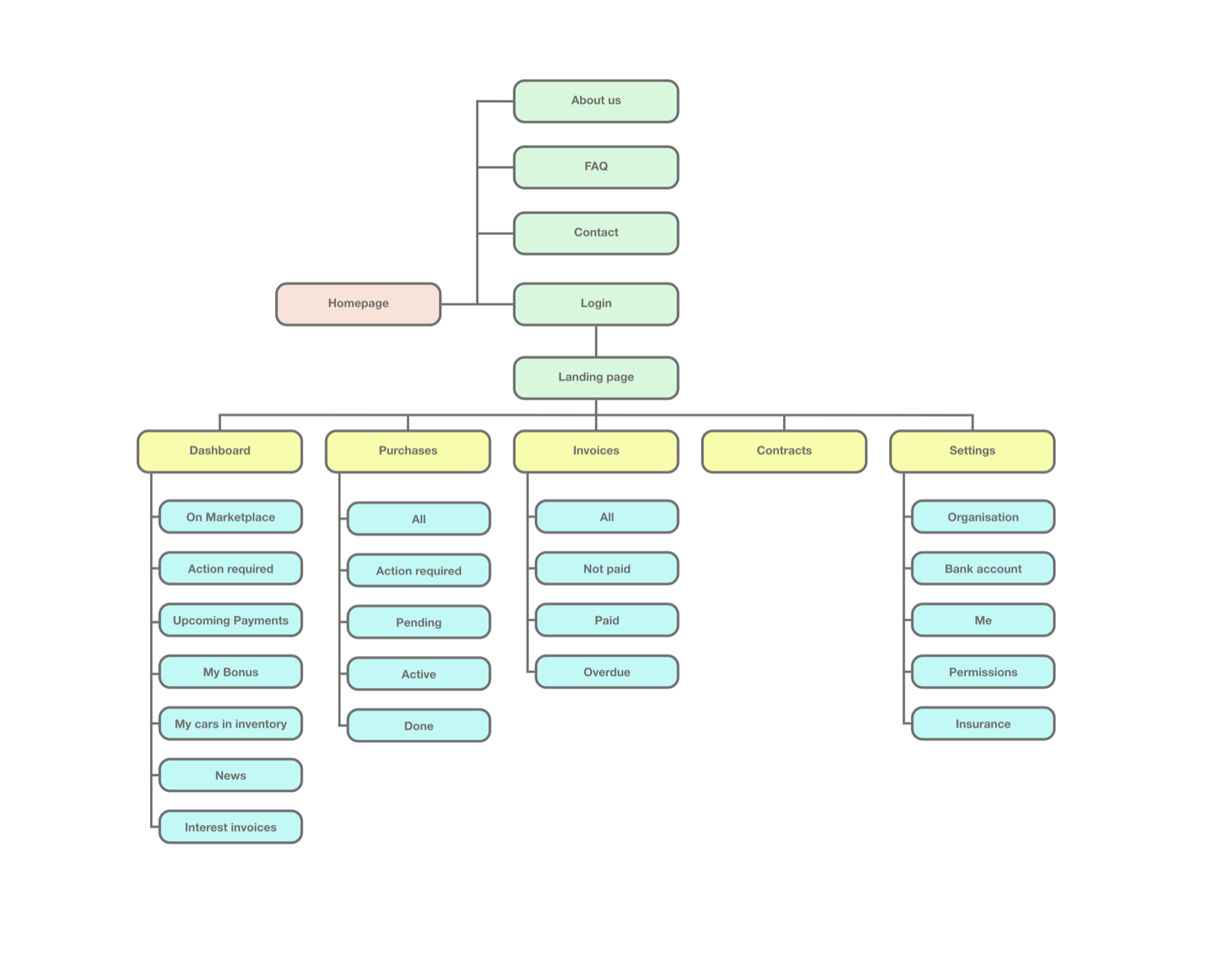
Easy navigation was one of the main requests from the interviews, so I shaped the sitemap to fit the existing structure without disrupting its information architecture. The whole site is mapped, but my focus was the Dashboard and the Marketplace.
Wireframes
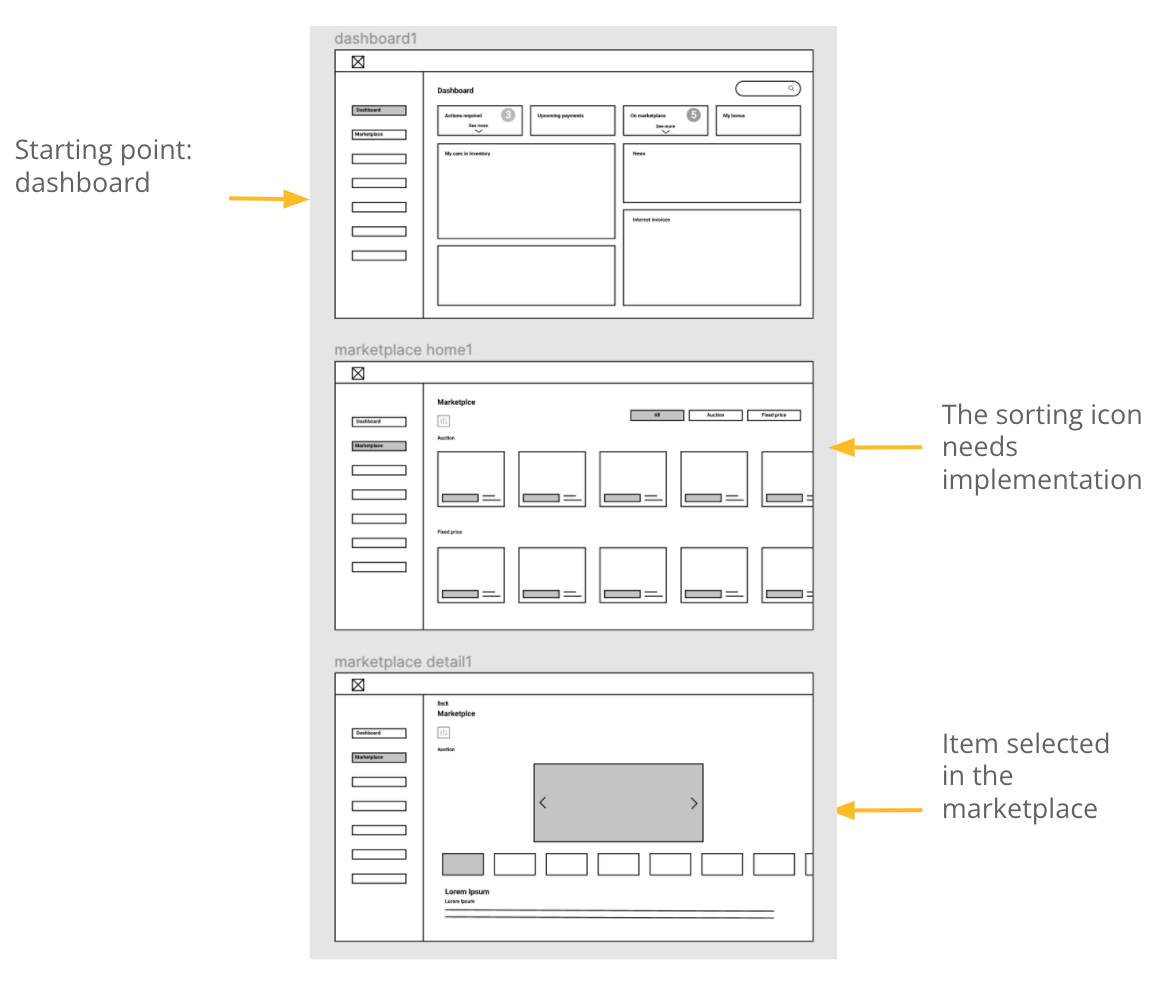
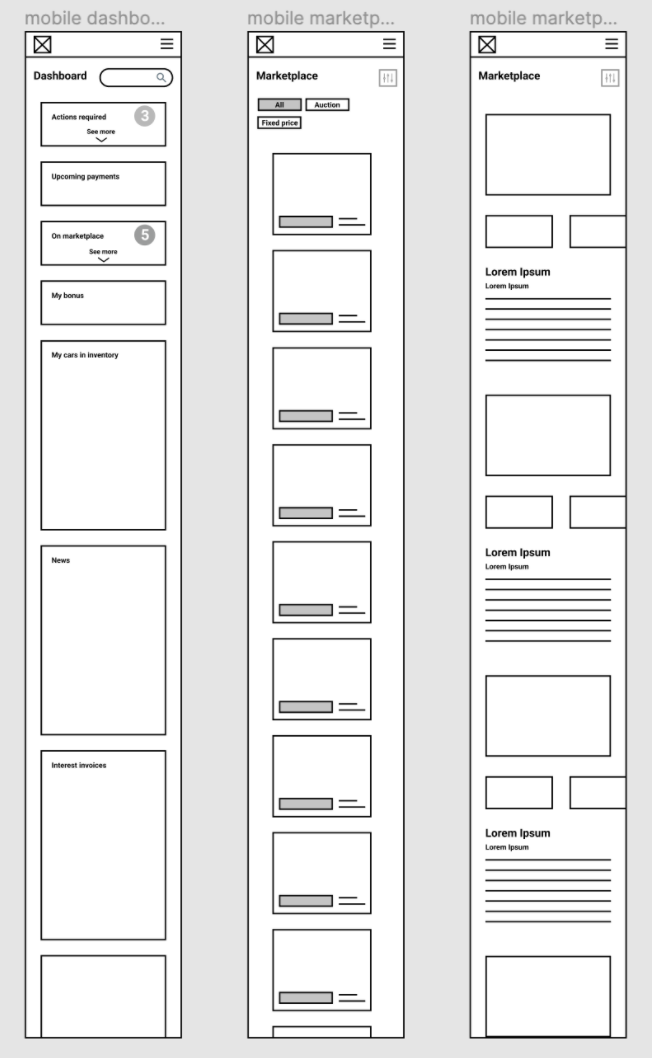
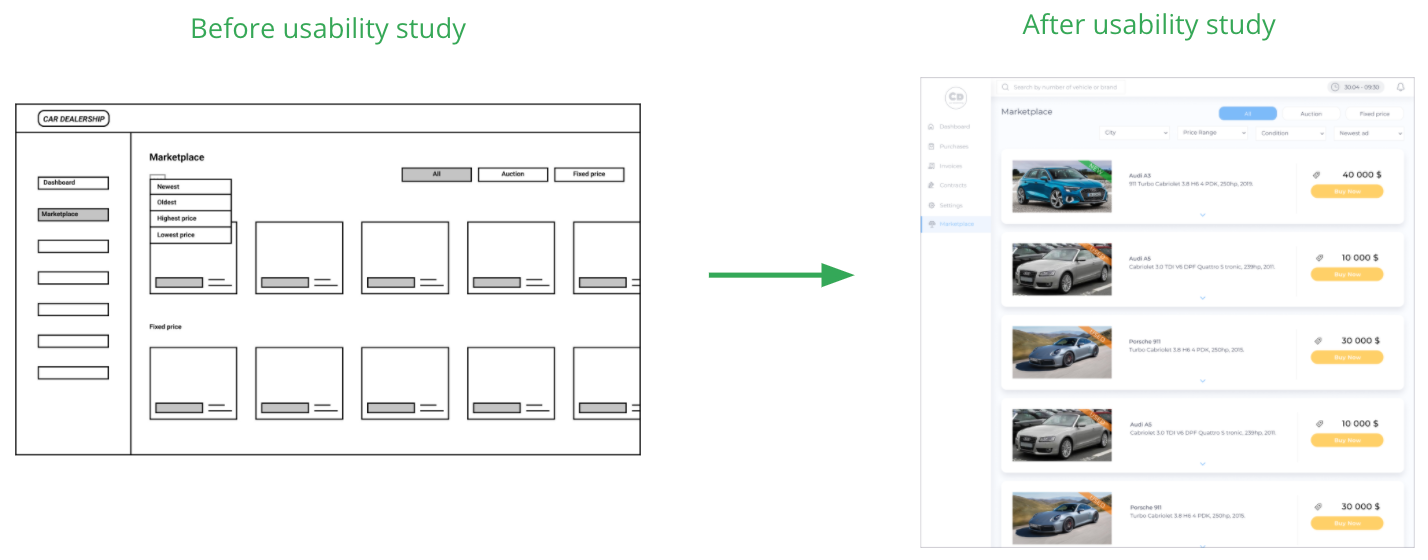
Three desktop screens: dashboard, marketplace and selected item. After the first test session I added two essential elements, a purchase button and a sort button. In parallel I worked on the mobile versions so the site would be fully responsive.
Usability study
I tested a low-fidelity prototype in an unmoderated usability study with 5 participants. The main findings:
- 01
Interface
The dashboard is essential and must show the crucial information clearly. - 02
Call to action
The marketplace needs clear call-to-action buttons. - 03
Sort
The marketplace needs a well thought-out sorting feature.
04
Refining the design
From findings to polish
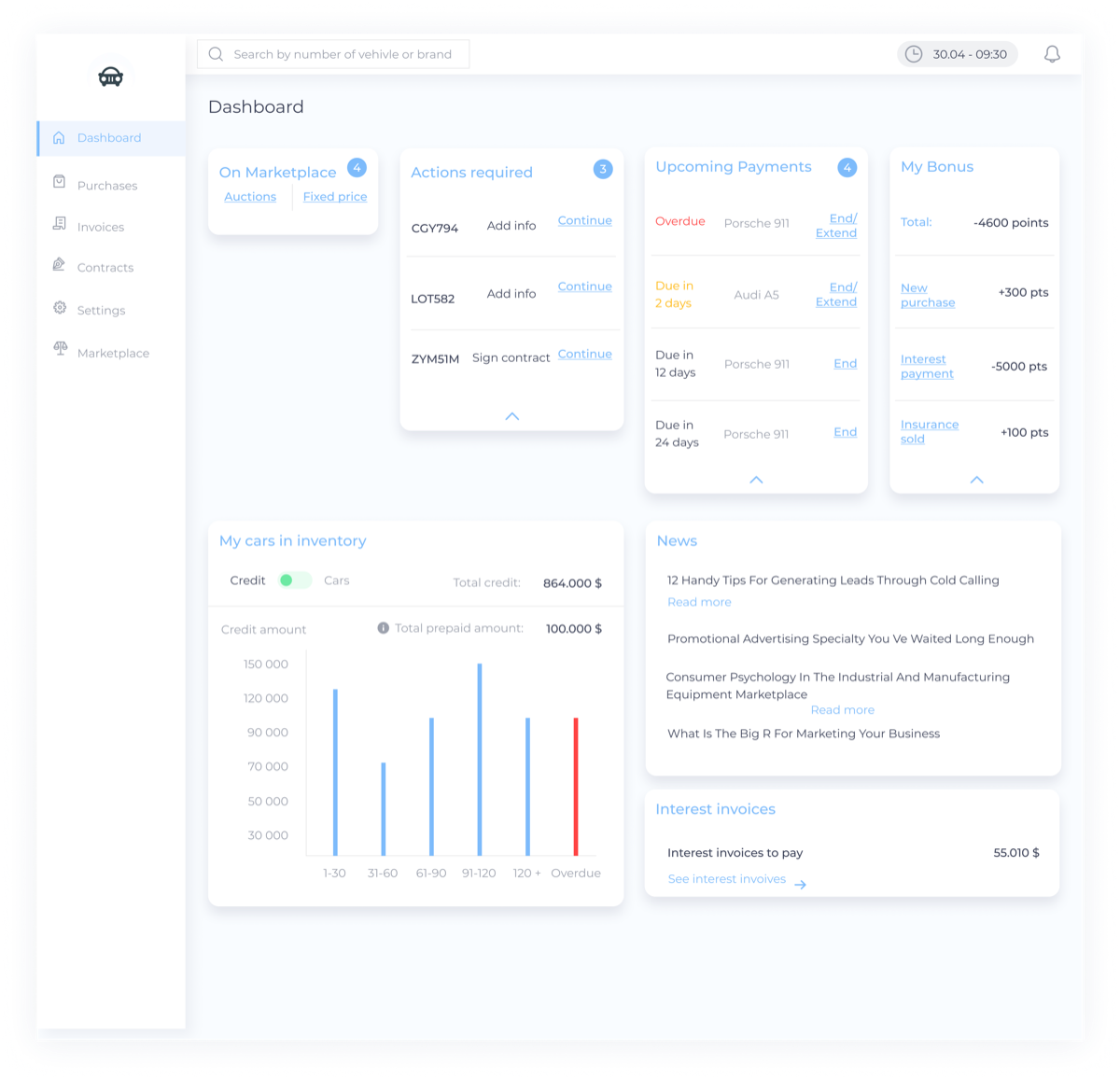
After the round of edits that followed the study, I moved to the polished version.
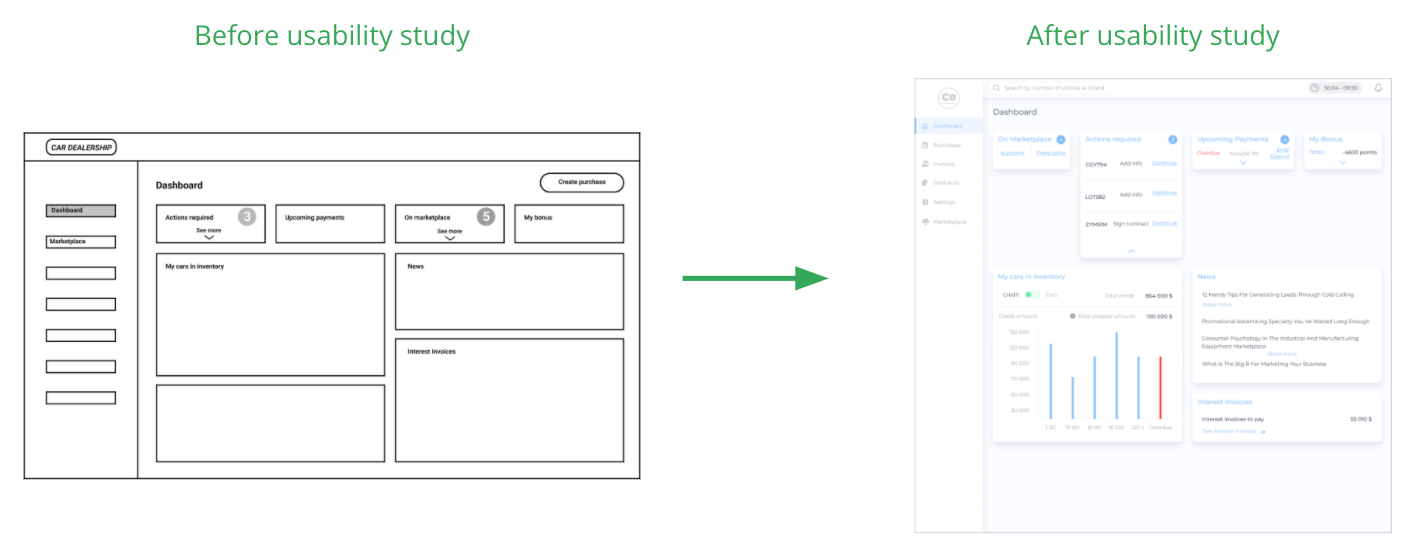
A dashboard that expands
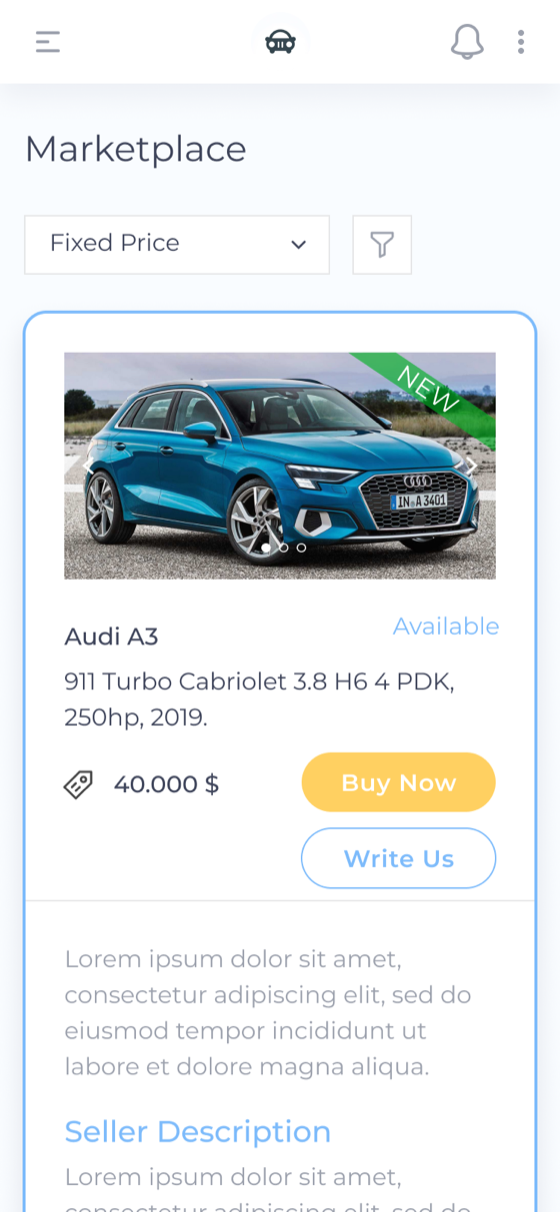
Widgets open when clicked: the dashboard is the control centre, an overview of the account and the place to take informed action.
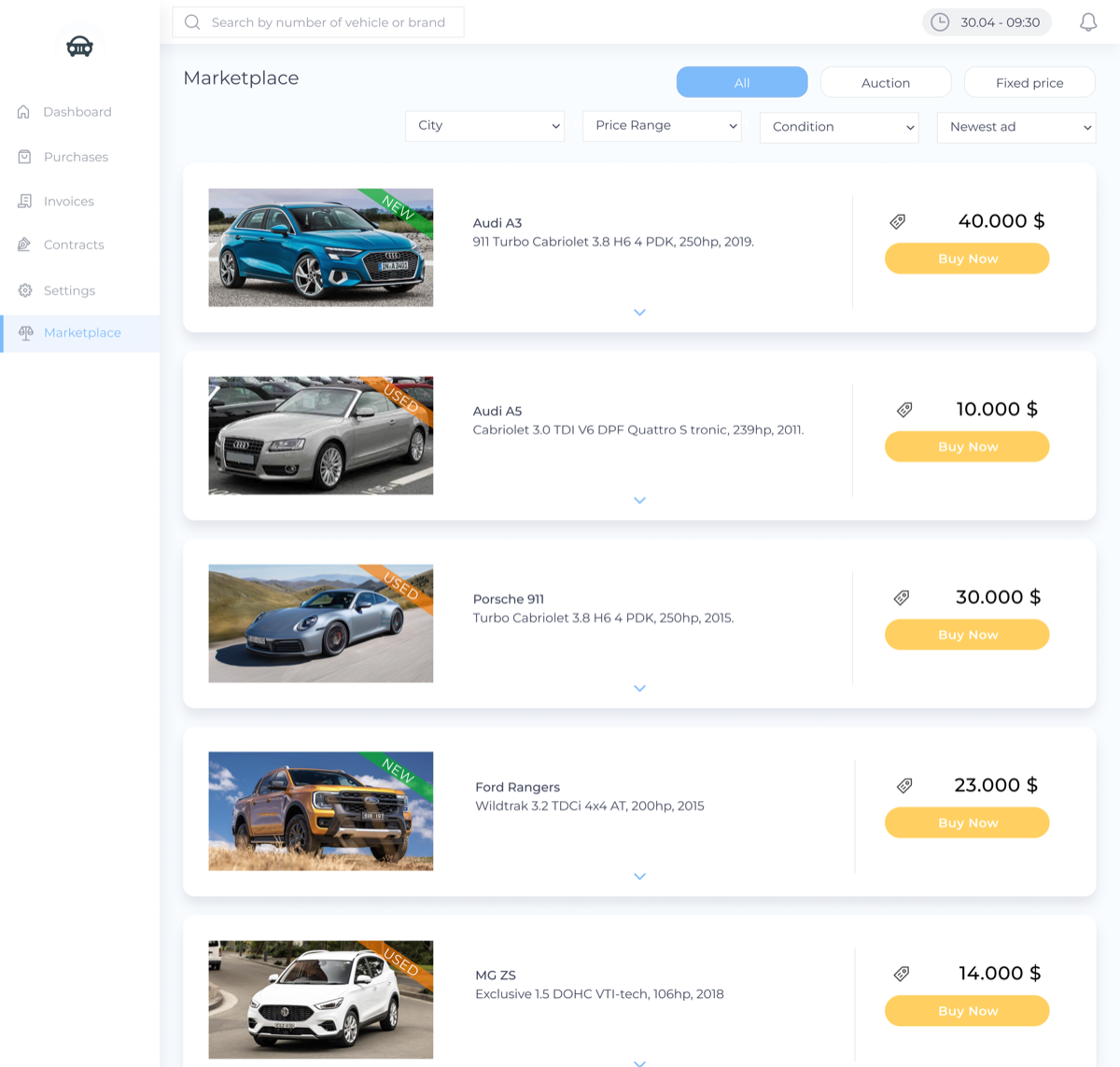
Sort and filters, front and centre
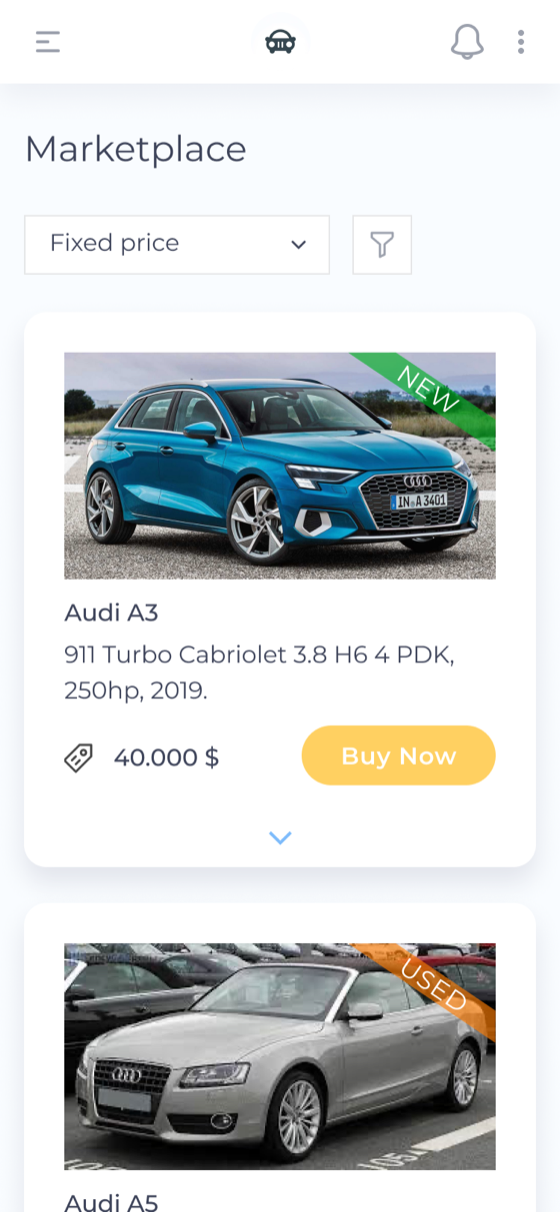
Redesigned to offer a better range of options, since they lead the whole marketplace experience.
From grid to single column
The car listings moved from a grid to a single column, to give each car the room its key information needs for a decision.
Accessibility
- Text-to-speech
A text-to-speech function will be built into the website.
- Contrast ratio
Contrast was kept in check so the content is readable for everyone.
- Gestalt principles
Elements and layout follow Gestalt principles.
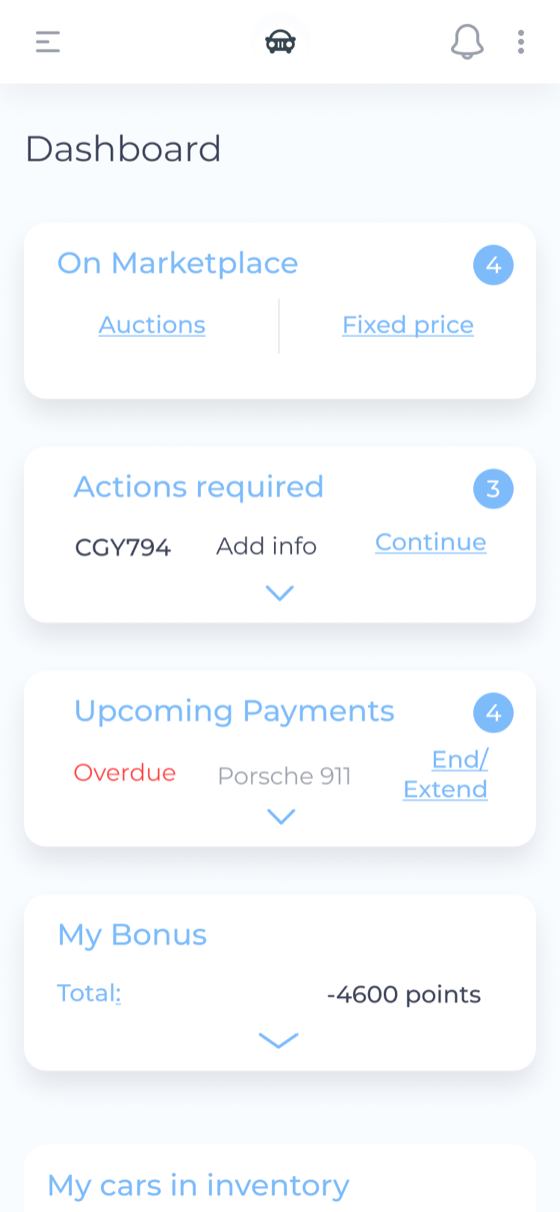
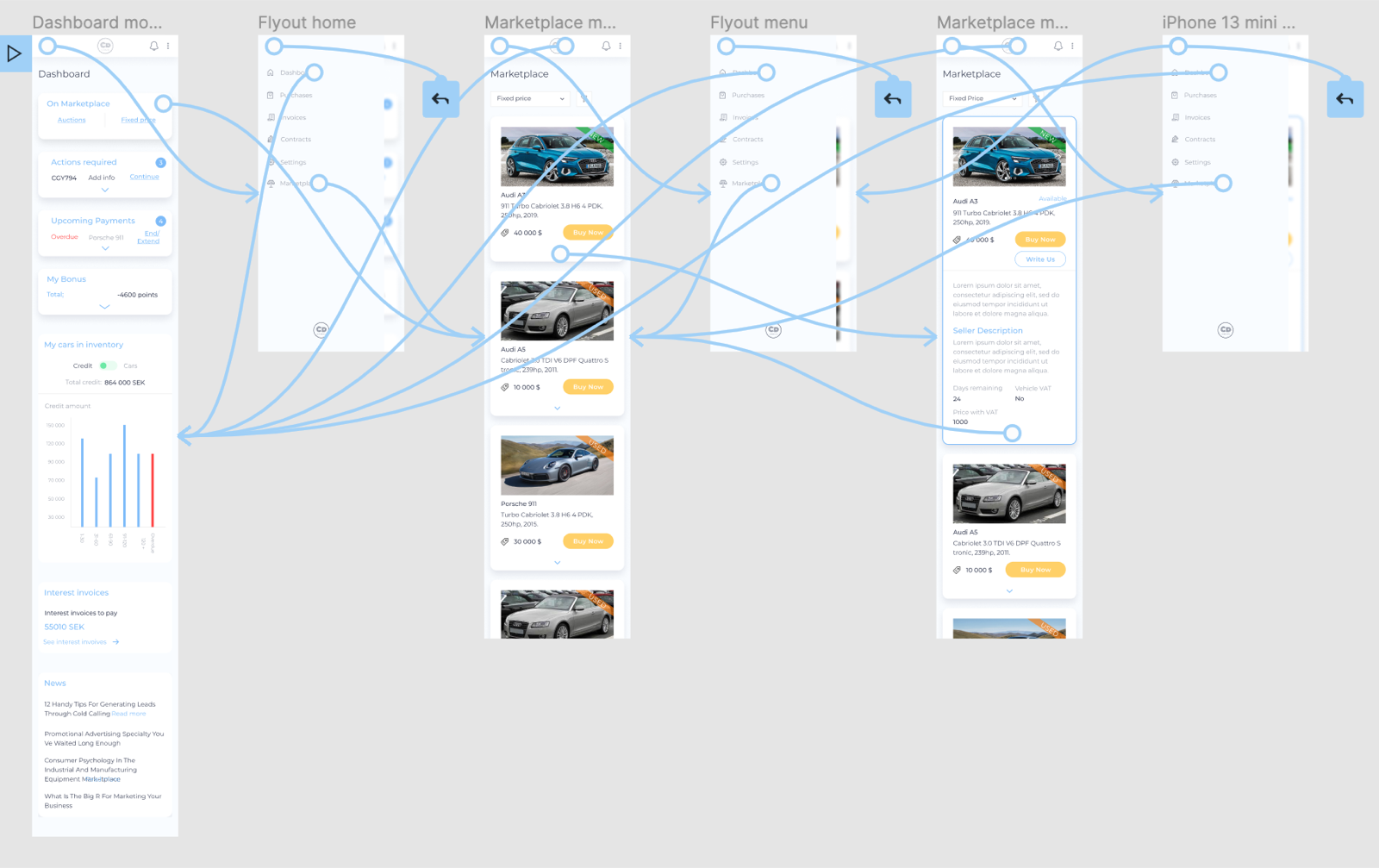
Responsive
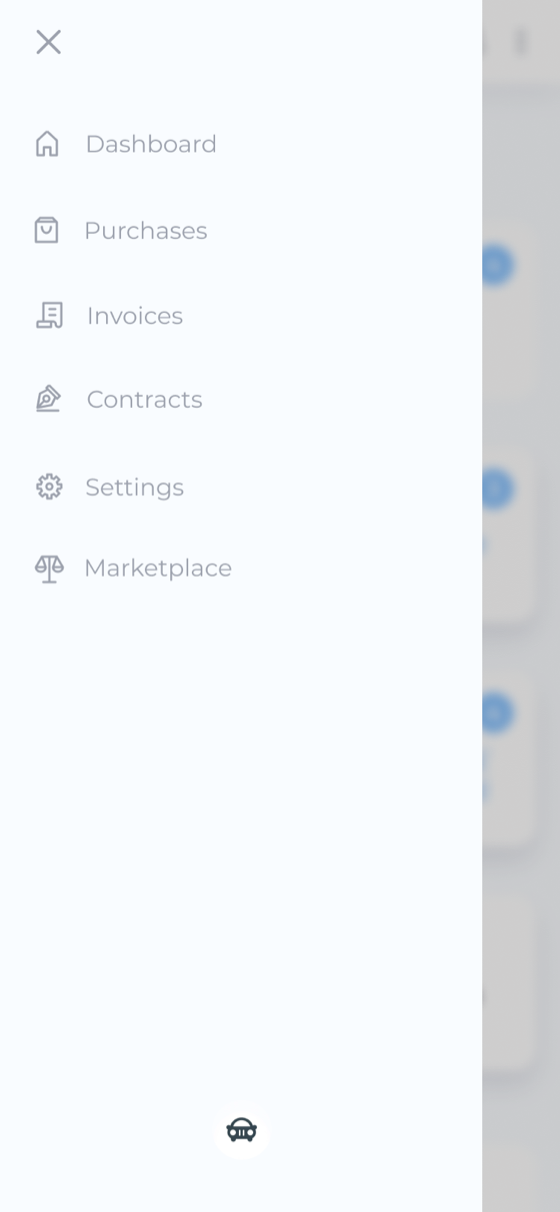
The same flow, refined for mobile.
High-fidelity prototype
After the last usability study I refined the flow and the design. The final purchase flow: dashboard, marketplace, item selection, purchase complete.
05
Going forward
Impact
Two car dealers left positive feedback after a further round of user testing.
“The info I need to make a decision is all there. I think the marketplace is intuitive and is easy to navigate.”
“In the marketplace I can finally find the best deals all in the same place.”
What I learned
Research uncovers room for improvement based on real needs that haven't been met yet, and iterating on user testing is the key to a better product.
Next steps
- Testing
Run follow-up usability testing on the new website.
- Ideation
Identify further areas of need and ideate new features.
Next
CS-02